


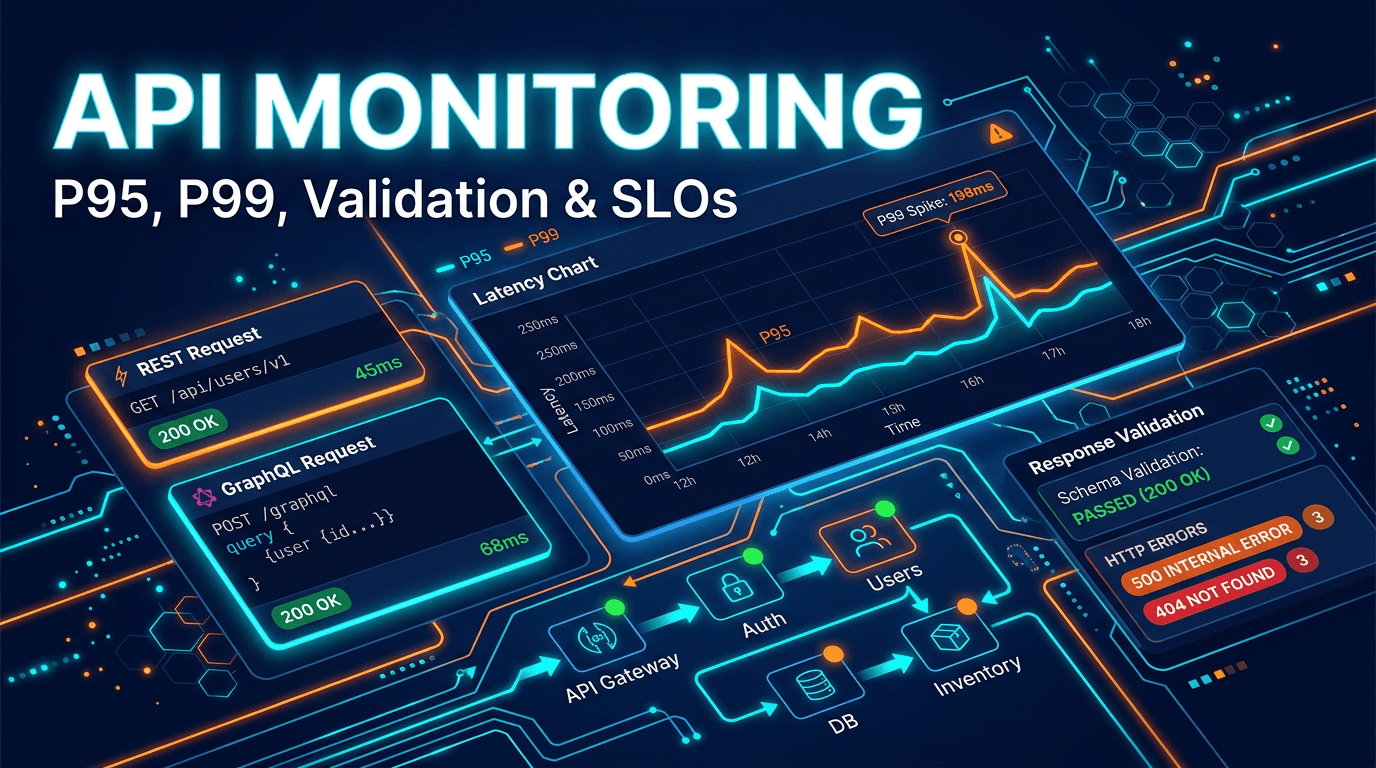
API monitoring has become one of the most important parts of modern digital operations. Websites, mobile apps, internal tools, integrations, and partner platforms all rely on APIs to move data and complete user journeys. When an API slows down or fails, the damage is often broader than a visible page outage. Users may see partial content, broken dashboards, failed checkouts, stale account data, or silent background errors that are difficult to diagnose quickly.
That is why strong API monitoring in 2026 must go beyond "did this endpoint return 200?" Teams need a system that can measure availability, detect tail latency, validate response correctness, test real workflows, and connect reliability data to business impact. This guide covers the most important best practices for building an API monitoring program that is genuinely useful in production.
Why API Monitoring Matters More Than Basic Uptime
Traditional uptime monitoring is designed around websites and service reachability. APIs add another layer of complexity. An API may be reachable but broken in logic, schema, permissions, or performance. It may return a success code while serving incomplete or invalid data. That means many API failures are invisible to simple uptime checks.
Modern software architecture makes this more important every year. Frontends depend on APIs for content and interactivity. Microservices depend on each other in long chains. External customers depend on public endpoints for their own products. A failure in one API can cascade through the entire experience. Good monitoring limits that risk by detecting problems where they start, not only where users finally notice them.
Best Practice 1: Define Critical Endpoints by Business Impact
Not every endpoint deserves the same attention. Monitoring every route at the same level often creates noise while still missing the most important risks. Start by identifying which APIs drive customer experience, revenue, authentication, onboarding, search, billing, reporting, and product reliability.
For a SaaS platform, that might include login, token refresh, workspace loading, billing status, and core data queries. For e-commerce, it may include catalog APIs, pricing, inventory, promotions, and checkout endpoints. Prioritization matters because it guides check frequency, alert severity, and ownership. Strong monitoring begins with knowing which APIs matter most when something goes wrong.
Best Practice 2: Track P95 and P99, Not Just Averages
Average response time is not enough. An API can show a healthy average while a meaningful share of real users experience slow responses. Tail latency is where many production problems first appear. That is why p95 and p99 are essential metrics.
If p50 remains stable but p95 climbs, the system may already be under strain. If p99 spikes during peak traffic, customers are likely seeing intermittent slowdowns even before alert thresholds on averages fire. In 2026, teams should treat percentile latency as a core part of monitoring, especially for customer-facing APIs, search services, billing systems, and any endpoint serving interactive user journeys.
Best Practice 3: Validate Responses, Not Just Status Codes
One of the most common API monitoring failures is stopping at HTTP status. A 200 response can still be unusable if the payload is malformed, fields are missing, arrays are empty when they should not be, or business logic fails silently. This is especially common in APIs that return fallback states instead of explicit errors.
Monitoring should validate schemas, required fields, field types, value ranges, and business-specific expectations. A user object should contain an identifier. An inventory value should not be negative. A pricing response should return the correct currency and non-empty totals. This type of validation transforms monitoring from network checking into functional quality assurance.
Best Practice 4: Monitor Full Synthetic Workflows
Real API usage rarely happens as isolated requests. Users trigger sequences: authenticate, request data, create a resource, update it, confirm status, and then clean up. If you only monitor single endpoints in isolation, you can miss state-related failures that appear only across a workflow.
Synthetic monitoring solves this by testing full transactional paths with realistic sequences. For example, create a test object, retrieve it, update it, confirm the change, and delete it. These synthetic checks are especially useful for signup flows, checkout flows, onboarding automation, resource provisioning, and any process where state or dependencies matter. They provide a much closer representation of real user impact.
Best Practice 5: Monitor Authentication and Authorization Paths
Authentication issues often create broad, high-severity incidents. Tokens expire unexpectedly, key rotation breaks clients, OAuth callbacks fail, permissions drift, or refresh flows slow down under load. Yet many teams monitor only the public endpoints and ignore the auth layer itself.
A mature API monitoring setup includes authentication checks, permission checks, and negative-path validation. That means verifying valid credentials succeed, invalid credentials are rejected correctly, and role-restricted endpoints behave as expected. This not only catches outages. It also helps surface security issues and policy drift before they become bigger problems.
Best Practice 6: Set SLOs That Reflect Real Experience
Monitoring works best when it is tied to service level objectives. An SLO turns vague expectations into measurable targets, such as "99.9% of requests succeed under 500ms" or "99% of checkout API requests complete successfully under 800ms." With SLOs, monitoring becomes a management system, not just an alert feed.
SLOs also help teams prioritize work. If an endpoint is consuming too much error budget, reliability becomes more urgent than feature delivery in that area. Without SLOs, teams often debate whether a performance issue is serious. With SLOs, the answer is already operationally defined.
Best Practice 7: Monitor Third-Party Dependencies Explicitly
Many critical APIs depend on external services: payment providers, identity systems, geolocation platforms, analytics tools, messaging vendors, and AI services. When those dependencies degrade, your own product often appears broken even though your origin systems are healthy. That makes third-party visibility essential.
Track the external APIs that are most likely to affect customer journeys. Where possible, create checks that validate dependency behavior from the perspective of your product, not just from vendor status pages. You may not control those systems, but monitoring them clearly helps you route incidents faster, activate fallbacks, and communicate impact more accurately.
Best Practice 8: Monitor APIs From the Regions That Matter
Performance and availability are not universal. A route that is fast in one region may be slow elsewhere due to CDN behavior, network distance, provider routing, or edge misconfiguration. If your users are global, your monitoring should be as well.
Multi-region API monitoring reveals whether a slowdown is global, regional, or isolated. This matters for user experience, incident severity, and debugging speed. It is also increasingly important for SEO-sensitive JavaScript applications whose rendered experience depends on upstream API speed and consistency across markets.
Best Practice 9: Tune Alerts Around Consecutive Failures and Error Rates
Single failures are rarely enough to justify paging someone. APIs can fail briefly during deploys, garbage collection pauses, dependency hiccups, or network blips. Over-alerting creates fatigue and causes teams to trust the system less over time.
Use confirmation logic. Require multiple failures, error-rate thresholds, or regional agreement before escalating. Pair this with different severity levels: warnings for degradation, incidents for sustained failures, and emergency pages for business-critical workflow breakage. Good alert design is one of the biggest differences between noisy monitoring and helpful monitoring.
Best Practice 10: Map Monitoring to Ownership and Documentation
An alert without an owner wastes time. Every monitored API should map to a responsible team, service documentation, and an escalation path. That way, when p99 latency spikes or response validation starts failing, responders know who owns the service and what healthy behavior looks like.
This becomes even more important in microservice and platform environments where no single engineer can carry all system context. Ownership turns monitoring from raw signal into operational action. Documentation closes the gap between detection and response.
Common API Monitoring Mistakes to Avoid
The first common mistake is monitoring only GET endpoints. Write operations often fail differently and can be more damaging. The second is ignoring schema and business validation. The third is hardcoding credentials without a lifecycle plan, which causes monitors to fail for the wrong reasons. Another frequent mistake is allowing synthetic checks to drift away from real-world user paths. A synthetic monitor that no longer matches the product loses value quickly.
Teams also often separate API monitoring too far from broader product visibility. When API performance, uptime, frontend behavior, and business metrics are all reviewed in isolation, it becomes harder to understand customer impact. The best teams correlate these signals instead of treating them as separate worlds.
What to Look for in an API Monitoring Platform
The best API monitoring platforms support REST and GraphQL checks, flexible authentication, schema assertions, synthetic workflows, percentile latency analysis, multi-region execution, and robust alert routing. Historical trends, SLA or SLO reporting, and integration with incident tools also matter. For advanced teams, the ability to connect API signals with uptime, SSL, and broader observability data becomes extremely valuable.
Above all, choose a platform that helps you answer three questions quickly: Is the API available? Is it fast enough? Is it returning the right thing? If your monitoring cannot answer those clearly, it is not complete.
In 2026, API monitoring should be treated as a product reliability discipline, not a background technical utility. Strong teams monitor the APIs their users depend on, validate real outcomes, track tail latency, protect auth flows, and align alerting with ownership. That is how they catch problems early and reduce the time between failure and response.
If your application depends on APIs, then API monitoring is part of customer experience, revenue protection, and technical SEO all at once. The more central APIs become to your product, the more valuable thoughtful, production-grade monitoring becomes.