


How Do You Monitor API Response Time, Uptime, and Error Rates in Real Time?
Monitoring API response time, uptime, and error rates in real time means running continuous synthetic checks against your endpoints from multiple locations, capturing timing and status data from every request, and surfacing that data through dashboards and alerts fast enough for your team to act before users are affected. The goal is not just to know that something went wrong. It is to know within seconds, with enough context to start fixing it immediately.
Real-time API monitoring is what separates teams that learn about incidents from customer complaints from teams that detect and resolve them before customers notice. The difference is almost always operational: how frequently you check, how you classify results, how you alert, and how quickly you route the right information to the right people.
This guide explains how to set up real-time monitoring for the three signals that matter most for API reliability: response time, uptime, and error rates.
How Real-Time API Monitoring Works
Real-time monitoring is built on synthetic checks. A monitoring system sends HTTP requests to your API endpoints on a regular schedule, typically every 30 seconds to 5 minutes. Each request measures whether the endpoint responded, how long it took, what status code it returned, and whether the response body matched expected criteria.
These checks run from multiple geographic locations simultaneously. That multi-region approach is critical because an API can be healthy from one network path and broken from another. A CDN misconfiguration, a regional DNS issue, or a routing asymmetry can create failures that are invisible from a single monitoring perspective.
The results flow into a time-series data store where they are visualized as live dashboards, compared against thresholds, and evaluated against alert rules. When a check fails or a metric crosses a threshold, the system triggers a notification through the configured channels: email, Slack, PagerDuty, webhooks, SMS, or other integrations.
The "real time" part depends on two things: check frequency and alert latency. If you check every 30 seconds and your alerting pipeline delivers notifications within 10 seconds of evaluation, your detection window is under a minute. That is fast enough to catch most production incidents before they spread to a large user population.
Monitoring API Response Time in Real Time
Response time is the metric that most directly reflects user-perceived API performance. Monitoring it in real time means capturing latency data from every synthetic check and making it available for immediate visualization and alerting.
What to Measure
Each synthetic check should capture the total round-trip time from request initiation to complete response receipt. For deeper diagnosis, the check should also break the request into phases: DNS resolution time, TCP connection time, TLS handshake time, time to first byte, and content transfer time. This breakdown helps teams locate whether a latency problem originates in the network layer, the server processing layer, or the payload delivery layer.
Use Percentiles, Not Averages
Real-time response time monitoring should track percentiles rather than relying on averages. The 50th percentile shows the median experience. The 95th percentile shows the degradation edge where 5 percent of requests are slower. The 99th percentile reveals tail latency that affects a small but real portion of users.
Averages hide problems. An API with a 150ms average can still have a p99 of 3 seconds, meaning 1 in 100 requests is painfully slow. If your real-time dashboard only shows averages, you will miss performance degradation until it becomes severe enough to move the median. By that point, many users have already been affected.
Set Response Time Thresholds by Endpoint Priority
Not every endpoint needs the same latency threshold. An authentication endpoint that gates every user session should have a tighter target than a background analytics endpoint. A search API that powers interactive results needs stricter monitoring than a batch export endpoint.
Define acceptable response time thresholds for each monitored endpoint based on its role in the user experience. For interactive APIs, p95 under 500ms and p99 under 1 second are common targets. For background or internal APIs, looser thresholds may be appropriate. The key is that thresholds should be explicit, not just whatever the API happens to deliver today.
Visualize Response Time as a Live Trend
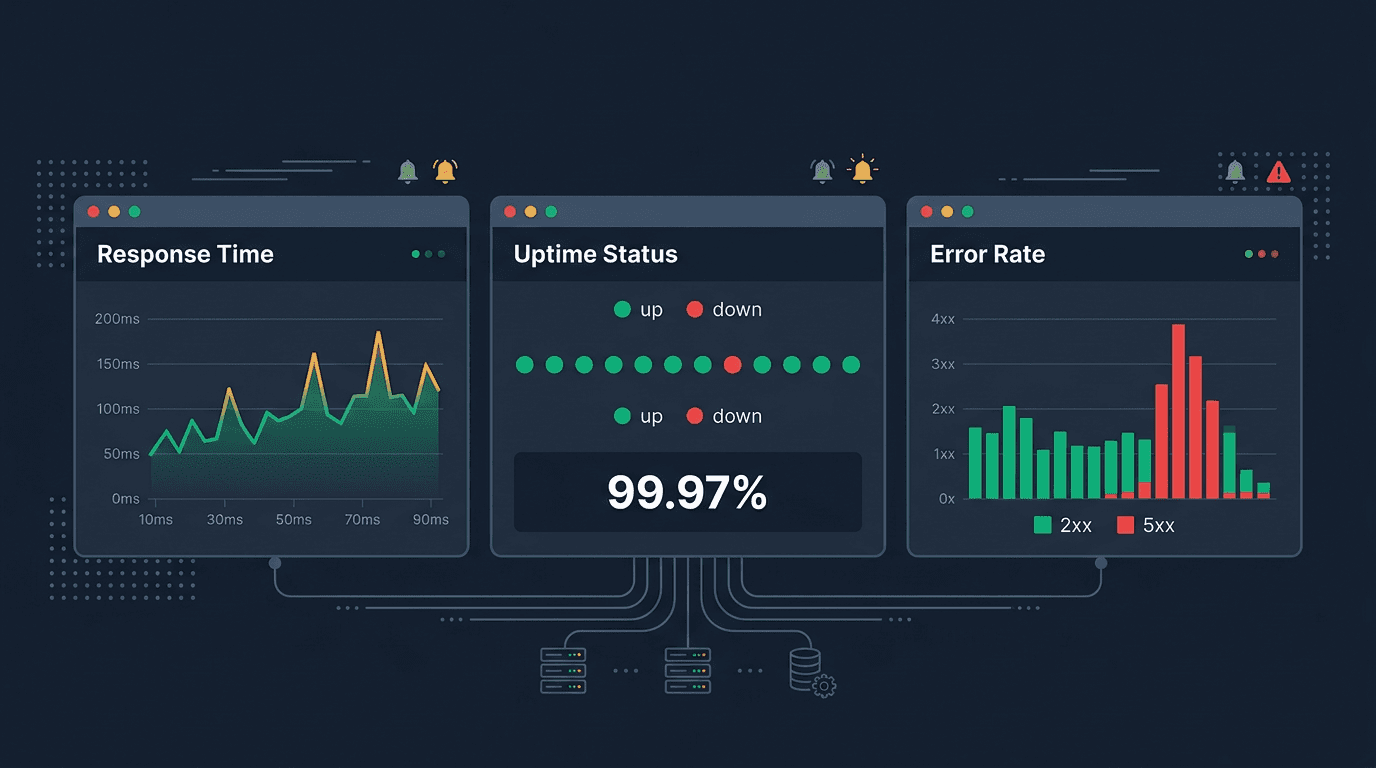
A real-time response time dashboard should show latency as a time-series chart with the current value, recent trend, and historical baseline visible together. This makes it easy to spot whether a current spike is unusual or part of a recurring pattern. Overlay p50, p95, and p99 on the same chart so the team can see immediately whether degradation is affecting the tail or the median.
Color coding helps with rapid assessment. Green for values within threshold, amber for approaching the limit, red for values that have breached the target. The faster a human can look at a dashboard and understand the current state, the faster they can decide whether to investigate or continue.
Alert on Sustained Degradation, Not Single Spikes
API response times fluctuate. A single slow response may be caused by a garbage collection pause, a cold cache, a network blip, or a transient dependency hiccup. Alerting on every spike creates noise that erodes trust in the monitoring system.
Instead, alert when response time exceeds the threshold for multiple consecutive checks or across multiple regions. A common pattern is to require 2 to 3 consecutive failures before firing an alert. Another approach is to alert when the rolling average or rolling percentile over a 5-minute window crosses the threshold. This smooths out transient noise while still detecting real degradation quickly.
Monitoring API Uptime in Real Time
API uptime monitoring verifies that endpoints are reachable and returning successful responses. It is the most basic signal, but it needs to be implemented carefully to be genuinely real-time.
Define What "Up" Means for Each Endpoint
A simple uptime check considers the API "up" if it returns any HTTP response. That is not enough. A more meaningful definition requires a success-class status code, a response within the timeout window, and optionally a valid response body.
For a login endpoint, "up" might mean it returns a 200 status with a valid token structure. For a product catalog API, "up" might mean it returns a 200 with a non-empty array of products. For a health check endpoint, "up" might mean it returns a specific JSON structure confirming all dependencies are healthy. The more precise the definition, the fewer false negatives the monitoring will produce.
Check Frequently Enough to Detect Short Outages
The check interval determines the minimum detection window. If you check every 5 minutes, you cannot detect an outage that starts and recovers within that window. For critical APIs, 30-second or 1-minute check intervals provide a detection window that is fast enough to catch most meaningful incidents.
Higher check frequency also improves uptime calculation accuracy. An API checked every 5 minutes has a resolution of 5-minute blocks. An API checked every 30 seconds has a much more granular availability picture. For SLA reporting and error budget tracking, that granularity matters.
Confirm Failures From Multiple Locations
A single failed check from one location does not necessarily mean the API is down. The failure could be caused by a local network issue, a monitoring probe problem, or a transient routing hiccup. Real-time uptime monitoring should require confirmation from at least two independent locations before declaring an outage.
This multi-location confirmation dramatically reduces false alerts. It also provides immediate geographic context. If the API fails from all locations, the incident is likely at the origin. If it fails from one region only, the problem may be DNS, CDN, or routing related. That context helps the response team start investigating the right layer immediately.
Track Uptime Over Rolling Windows
Real-time uptime should be displayed as both the current status and a rolling availability percentage. A common approach shows current state (up or down), availability over the last hour, last 24 hours, last 7 days, and last 30 days. This layered view helps teams distinguish between a healthy API that just had a brief blip and an API with a pattern of recurring instability.
Rolling windows also make SLO monitoring practical. If the team has defined a 99.9% availability objective, the dashboard should show how much error budget remains and how the current incident is consuming it. That context turns a raw alert into an operational decision point.
Monitoring API Error Rates in Real Time
Error rate monitoring tracks the proportion of API responses that indicate failure. It catches problems that uptime monitoring alone can miss, such as partial failures, intermittent errors, and application-level faults that return HTTP responses but deliver broken outcomes.
Classify Errors by Type and Severity
Not all errors are equal. A real-time error rate monitoring system should distinguish between server errors (5xx), client errors (4xx), timeout errors, and application-level errors embedded in successful HTTP responses.
Server errors are the highest severity because they indicate the API cannot process the request at all. A spike in 5xx errors almost always indicates a deployment bug, a dependency failure, a resource exhaustion, or a configuration mistake. These should trigger immediate alerting.
Client errors are more nuanced. A baseline rate of 4xx responses is normal because clients send invalid requests. But a sudden increase in 4xx errors can indicate a breaking API change, a misconfigured client after a deployment, or a contract violation. Monitoring should track the 4xx rate relative to its baseline rather than alerting on absolute values.
Timeout errors represent requests where the client never received a response. They are among the worst user experiences and often indicate cascading failures in microservice architectures. Tracking timeout rate separately from other errors helps teams detect cascade risk early.
Application-level errors arrive inside a 200 OK response with an error payload, empty results, or unexpected data. These "silent errors" require response body validation to detect. Without it, the API appears healthy at the HTTP level while delivering broken results.
Monitor Error Rate as a Percentage, Not a Count
Raw error counts are misleading because they scale with traffic. An API handling 10,000 requests per minute will have more absolute errors than one handling 100 requests per minute, even if the error percentage is identical. Error rate as a percentage normalizes for traffic volume and provides a meaningful comparison across endpoints and time periods.
For real-time dashboards, display the current error rate alongside the historical baseline. A 2% error rate might be normal for one endpoint and alarming for another. Context is what makes the number actionable.
Set Error Rate Thresholds With Baseline Awareness
The best error rate thresholds are based on observed baseline behavior rather than arbitrary fixed values. If an endpoint normally has a 0.1% error rate, a threshold at 1% catches a 10x increase. If another endpoint normally has a 3% error rate due to expected client validation failures, the same 1% threshold would cause constant false alerts.
Baseline-aware thresholds can be implemented as static values informed by historical data or as dynamic thresholds that adapt to the endpoint's normal error pattern. The goal is to alert when the error rate is meaningfully higher than expected, which indicates a real problem rather than normal operational variance.
Alert on Error Rate Spikes With Confirmation
Error rate alerting should require confirmation across a short time window or multiple check cycles before escalating. A single check that returns an error may not indicate a systemic problem. But if the error rate exceeds the threshold across three consecutive check intervals or from multiple monitoring locations, the signal is strong enough to warrant human attention.
For critical APIs, burn-rate alerting adds another layer of intelligence. Instead of alerting on every threshold breach, burn-rate alerting measures how quickly the error budget is being consumed. A short burst of errors that quickly resolves may not warrant paging. A sustained elevation that threatens the monthly error budget should escalate urgently.
Building the Real-Time Monitoring Workflow
Collecting the data is only half the problem. The other half is turning data into action through dashboards, alerts, and response workflows that work in real time.
Design Dashboards for Rapid Assessment
A real-time API monitoring dashboard should answer three questions within seconds: Is the API up? Is it fast enough? Is the error rate normal? Each monitored endpoint should display current status, response time trend with percentile overlay, and error rate with baseline comparison.
Group endpoints by business criticality. Customer-facing APIs that drive revenue and authentication should appear at the top with the most prominent visual treatment. Internal and lower-priority endpoints can appear in secondary sections. The dashboard layout should match the team's priority structure so the most important signals are seen first.
Route Alerts to the Right People
Real-time monitoring produces alerts that need to reach the right team member within seconds to be useful. Alert routing should match endpoint ownership. If the payments API fails, the payments team should be paged. If the search API degrades, the search team should be notified. A generic shared channel for all API alerts will be ignored during high-volume incidents.
Severity-based routing adds another layer. Critical alerts on business-critical endpoints should go through PagerDuty or phone calls for immediate attention. Warning-level alerts on secondary endpoints can go through Slack or email for same-day review. This tiered routing prevents alert fatigue while ensuring the most important signals get immediate human attention.
Use Maintenance Windows to Suppress Known Noise
Planned deployments, migrations, and maintenance often cause brief monitoring failures that are expected and not actionable. Real-time monitoring should support maintenance windows that suppress alerting during known change events. Without this, deployments become a source of alert noise that trains the team to ignore monitoring signals.
Maintenance windows should be scoped to specific endpoints or services rather than silencing all monitoring globally. The goal is to suppress expected noise while preserving real-time detection for everything else.
Connect Monitoring to Incident Response
When an alert fires, the response workflow should provide immediate context: which endpoint failed, from which locations, what the response time and error rate looked like before and during the failure, and what changed recently. This context should be available in the alert notification itself or one click away in the dashboard.
Teams that connect monitoring alerts directly to their incident management system can create incidents automatically when critical thresholds are breached. That eliminates the manual step of someone reading an alert, deciding it is real, and then creating a ticket. In real-time monitoring, every minute of manual triage is a minute of extended customer impact.
Common Mistakes in Real-Time API Monitoring
Several mistakes recur across teams building real-time monitoring systems.
The first is checking too infrequently. A 5-minute check interval is not real-time monitoring. For critical APIs, 30-second to 1-minute intervals are the minimum needed to detect incidents before they spread.
The second is monitoring from a single location. Single-perspective monitoring produces both false positives from local network issues and false negatives when the problem is regional. Multi-location confirmation is essential for reliable real-time detection.
The third is alerting on every failure without confirmation logic. Transient errors are normal in distributed systems. Alerting on single failures creates noise that erodes trust. Require consecutive failures or multi-region agreement before escalating.
The fourth is ignoring response body validation. Status-code-only monitoring misses silent errors where the API returns 200 OK with broken data. Real-time monitoring is incomplete without content-level assertions on critical endpoints.
The fifth is not tracking response time percentiles. Average response time hides tail latency that affects real users. P95 and p99 monitoring catches degradation early, before it becomes severe enough to move the average.
The sixth is routing all alerts to a single channel. Without endpoint-specific ownership and severity-based routing, alerts accumulate in a channel that nobody monitors urgently. Real-time detection loses its value if the response is not also real-time.
What a Complete Real-Time Setup Looks Like
A well-built real-time API monitoring system includes the following components working together:
- synthetic checks running every 30 to 60 seconds against each critical endpoint
- multi-region monitoring from at least 3 to 5 geographic locations
- response time tracking at p50, p95, and p99 with per-endpoint thresholds
- uptime checks with meaningful success criteria beyond just HTTP status
- error rate monitoring with classification by error type and baseline-aware thresholds
- response body validation for critical endpoints to catch silent errors
- live dashboards organized by business priority with color-coded status indicators
- alert routing matched to endpoint ownership with severity-based escalation
- maintenance windows for planned changes
- incident management integration for automatic escalation
Each of these components serves a specific role. Remove any one of them, and the monitoring system develops a blind spot that will eventually allow an incident to reach users undetected.
Final Thoughts
Monitoring API response time, uptime, and error rates in real time is the practice of continuously testing endpoints from multiple locations, capturing granular timing and error data, evaluating results against meaningful thresholds, and delivering alerts fast enough for the team to act before users are affected.
Response time monitoring should track percentiles and alert on sustained degradation. Uptime monitoring should define precise success criteria and confirm failures from multiple locations. Error rate monitoring should classify errors by type and alert relative to the endpoint's normal baseline. All three signals should feed into dashboards designed for rapid assessment and alert workflows designed for fast, targeted response.
The teams that do this well are not the ones with the most expensive tools. They are the ones that check frequently enough, confirm before alerting, route alerts to the right people, and respond within minutes instead of hours. That operational discipline is what turns real-time monitoring from a dashboard that nobody watches into a system that genuinely protects API reliability.