


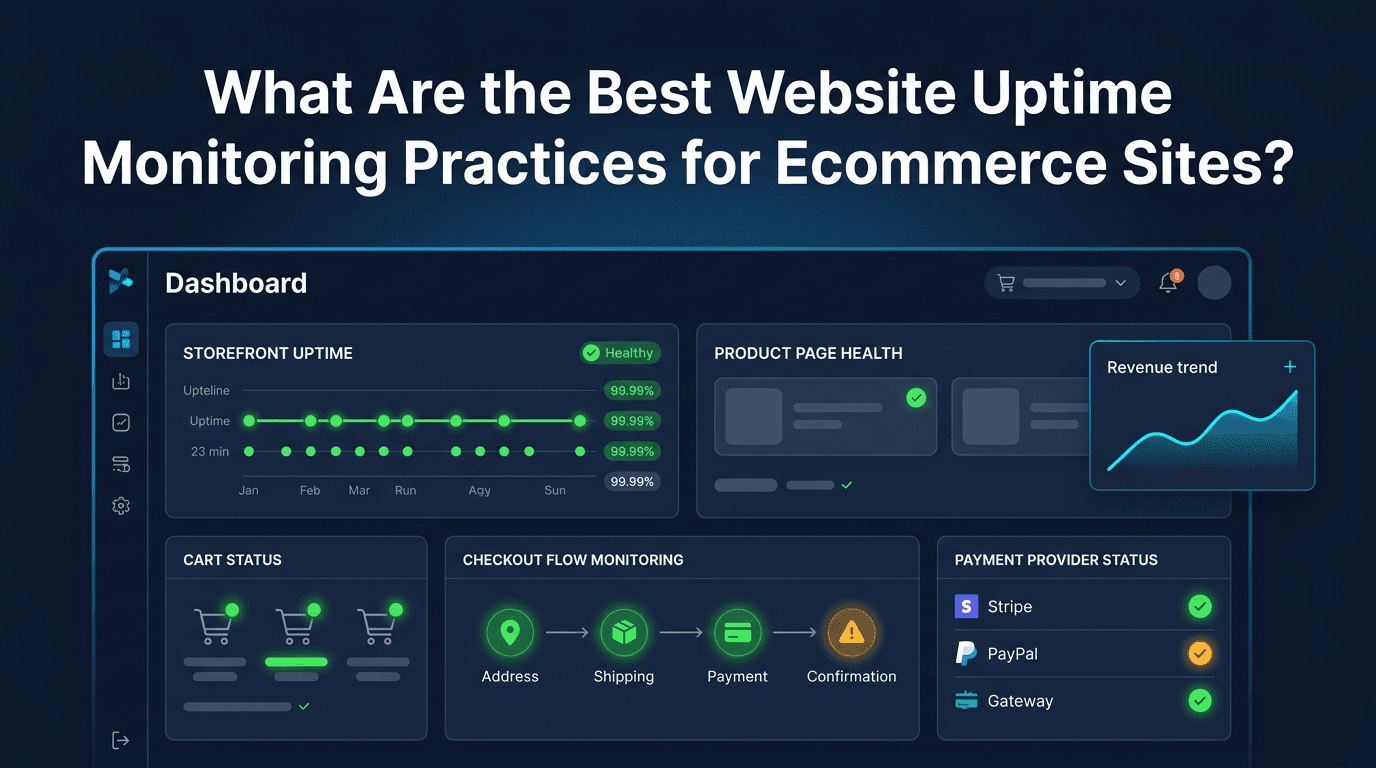
Ecommerce downtime is more expensive than many teams realize because it affects revenue immediately. A content site can often recover traffic later. A SaaS outage may affect renewals and support load over time. But when an ecommerce website fails, the cost is often instant: abandoned carts, failed checkouts, wasted ad spend, frustrated customers, and missed sales that rarely come back in full.
That is why uptime monitoring for ecommerce cannot stop at a basic homepage check. In 2026, successful stores need monitoring that reflects the full buying journey, the third-party systems behind it, and the regional experience customers actually see. The best practices for ecommerce uptime monitoring are the ones that detect issues before shoppers notice them and before revenue damage compounds.
Why Ecommerce Needs More Than Basic Uptime Monitoring
An ecommerce website can look technically online while the business is already losing money. Product pages may load, but search may fail. The cart may render, but quantity updates may break. Checkout may start, but payment authorization may fail. A 200 OK response on the homepage does not protect the buying journey.
This is why ecommerce monitoring should be built around real customer flows, not just server reachability. Stores depend on a chain of services working together: storefront templates, product data, search, cart state, payment providers, shipping calculators, tax services, authentication, inventory systems, and transactional emails. If any one of these breaks at the wrong step, conversion drops fast.
1. Monitor the Revenue-Critical Path, Not Just the Homepage
The first best practice is to define what "down" means for the store. For ecommerce, downtime does not only mean full site unavailability. It also includes any failure that prevents a customer from completing a purchase.
That means the most important pages and flows should be monitored directly, including:
- homepage
- category pages
- top product pages
- site search
- cart page
- checkout steps
- payment confirmation page
- login and account pages
If the homepage is healthy but checkout is broken, the store is still down in the way that matters most. Monitoring should reflect that reality.
2. Validate Checkout and Cart Functionality
One of the most important differences between ecommerce monitoring and generic uptime monitoring is the need for transaction-aware validation. Many ecommerce failures are functional rather than absolute.
For example:
- add-to-cart buttons may fail silently
- cart totals may not update correctly
- promo code logic may break
- payment buttons may stop responding
- checkout forms may fail validation unexpectedly
A simple availability monitor will miss most of these. That is why ecommerce teams should validate content and transaction flow conditions, not only HTTP status codes. If possible, simulate or verify key steps in the cart and checkout experience so the monitoring system reflects actual conversion risk.
3. Use Fast Check Intervals for Revenue Pages
Ecommerce pages that affect revenue should be checked frequently. A long monitoring interval creates unnecessary blind spots. If a checkout issue starts at 2:00 PM and the first alert arrives at 2:10 PM, ten minutes of revenue may already be gone before the team even begins investigating.
For most stores, a strong default is:
- 30 to 60 seconds for checkout, cart, and payment entry points
- 1 to 2 minutes for product and category pages
- 2 to 5 minutes for lower-priority marketing pages
The exact interval depends on traffic volume and business sensitivity, but high-conversion pages should always receive faster detection than low-value pages.
4. Monitor From Multiple Geographic Locations
Ecommerce websites often rely on CDNs, regional delivery paths, and third-party providers with uneven performance across markets. A site may work well in one country while failing in another due to routing issues, edge problems, or provider instability.
That is why multi-location monitoring is essential. Global checks help teams detect regional outages, reduce false positives, and understand whether the incident is local, global, or dependency-related.
This is especially important for stores that:
- run international campaigns
- serve multiple fulfillment regions
- use localized storefronts
- depend on region-specific payment methods
Revenue loss is still real even when the outage affects only part of the market.
5. Track Performance Degradation Before Hard Failure
Not every ecommerce incident begins with a crash. Many start as slow product pages, delayed cart calls, or rising checkout latency. Customers feel this before the website is technically down.
That is why strong ecommerce monitoring tracks:
- response time
- p95 and p99 latency
- time to first byte
- third-party dependency latency
- checkout completion time
If cart or checkout latency rises sharply, conversion may already be falling. Tail latency monitoring is one of the most practical ways to catch revenue-impacting degradation before it becomes a full outage.
6. Watch Payment and Third-Party Dependencies Closely
Modern ecommerce stores are highly dependent on external services. A payment processor, fraud service, tax engine, shipping calculator, review widget, analytics script, or search provider can create a major failure even when the core storefront is healthy.
The best uptime strategies monitor these dependencies intentionally. That includes:
- payment gateway availability
- shipping and tax service responsiveness
- inventory feed health
- authentication providers
- search and filtering services
- email delivery systems for order confirmation
A broken dependency should not be treated as someone else's problem. If it affects checkout or customer trust, it is part of your uptime risk surface.
7. Validate Product Page Integrity
For ecommerce, product pages are often the first point of high-intent traffic. These pages need more than simple uptime checks. A broken product template, missing price, missing stock state, or failed image load can destroy conversion even while the page remains technically reachable.
Good product page monitoring should confirm that critical elements are present, such as:
- product title
- price
- add-to-cart call to action
- stock or availability message
- image or media block
- shipping or variant selectors where relevant
This kind of validation helps catch template issues, feed failures, and frontend regressions that basic checks miss.
8. Protect SEO-Critical Ecommerce Templates
Ecommerce uptime monitoring is not only about conversion. It is also about organic visibility. Category pages, product pages, collection pages, faceted navigation, and seasonal landing pages are often major SEO assets. If they become unstable, search traffic can be affected alongside revenue.
The smartest teams identify high-value templates and monitor them separately. This is especially important for:
- top-ranking category pages
- best-selling product pages
- high-intent seasonal pages
- localized storefront URLs
- brand and collection landing pages
Monitoring these pages helps protect both current sales and future traffic acquisition.
9. Design Alerts Around Business Impact
Ecommerce teams do not benefit from alert noise. A short fluctuation on a low-value page should not be treated like a checkout outage. The best alerting setups classify issues by business importance.
High-priority alerts usually include:
- checkout failures
- payment errors
- cart breakdowns
- global product page outages
- severe regional outages during active campaigns
Lower-priority alerts may include slower pages, partial template issues, or regional degradation outside peak hours. The key is to create an escalation model that reflects revenue risk, not just technical severity.
10. Use Status Pages and Internal Runbooks Together
When a store has an incident, speed matters. But communication matters too. Internal runbooks help teams investigate faster, while a public status page can reduce customer confusion during meaningful outages.
For ecommerce teams, this combination is especially valuable during:
- checkout disruptions
- payment processor incidents
- large campaign traffic spikes
- regional CDN failures
- planned maintenance windows
Customers are more forgiving when they understand what is happening and believe the issue is actively managed. Support teams also benefit because clear communication reduces repetitive incident tickets.
11. Review Incident History by Customer Journey Stage
Not all outages affect the same step of the funnel. Some incidents mainly hurt discovery. Others damage conversion. Some affect post-purchase trust, such as order confirmation or account access.
That is why incident reviews should examine where in the journey failures occur most often:
- discovery and landing
- product evaluation
- cart creation
- checkout and payment
- post-purchase communication
This helps teams prioritize fixes based on revenue and customer experience, not just raw incident count.
12. Test Monitoring Before Peak Traffic Events
Ecommerce websites often experience predictable stress periods: product launches, holiday traffic, paid campaigns, and seasonal peaks. These are the worst possible times to discover that monitoring was incomplete or that alerts route to the wrong people.
Before major traffic events, teams should test:
- alert delivery channels
- cart and checkout validation
- payment provider monitoring
- status page update process
- maintenance and rollback procedures
Peak readiness is part of uptime strategy. Stores do not need monitoring only when things are calm. They need it most when demand is highest.
Common Mistakes to Avoid
One common mistake is monitoring only the homepage and assuming the store is healthy. Another is treating transaction failures as application bugs instead of uptime issues. Teams also often forget to monitor payment and shipping dependencies until a real incident exposes the gap.
Another costly mistake is relying only on average response time. Ecommerce pain often appears first in tail latency or in one stage of the funnel. A final mistake is failing to connect alerts to business priority. If checkout and blog pages trigger the same kind of response, the alerting system is not aligned with the store.
Final Thoughts
The best website uptime monitoring practices for ecommerce sites are the ones that follow the real buying journey. That means monitoring revenue-critical pages, validating cart and checkout functionality, tracking latency and error rates, watching third-party dependencies, protecting SEO-critical templates, and designing alerts around conversion impact.
For ecommerce teams, uptime is not only about whether the website responds. It is about whether customers can discover products, trust the experience, and complete purchases without friction. When monitoring reflects that reality, it becomes one of the most valuable systems in the store's operating stack.