


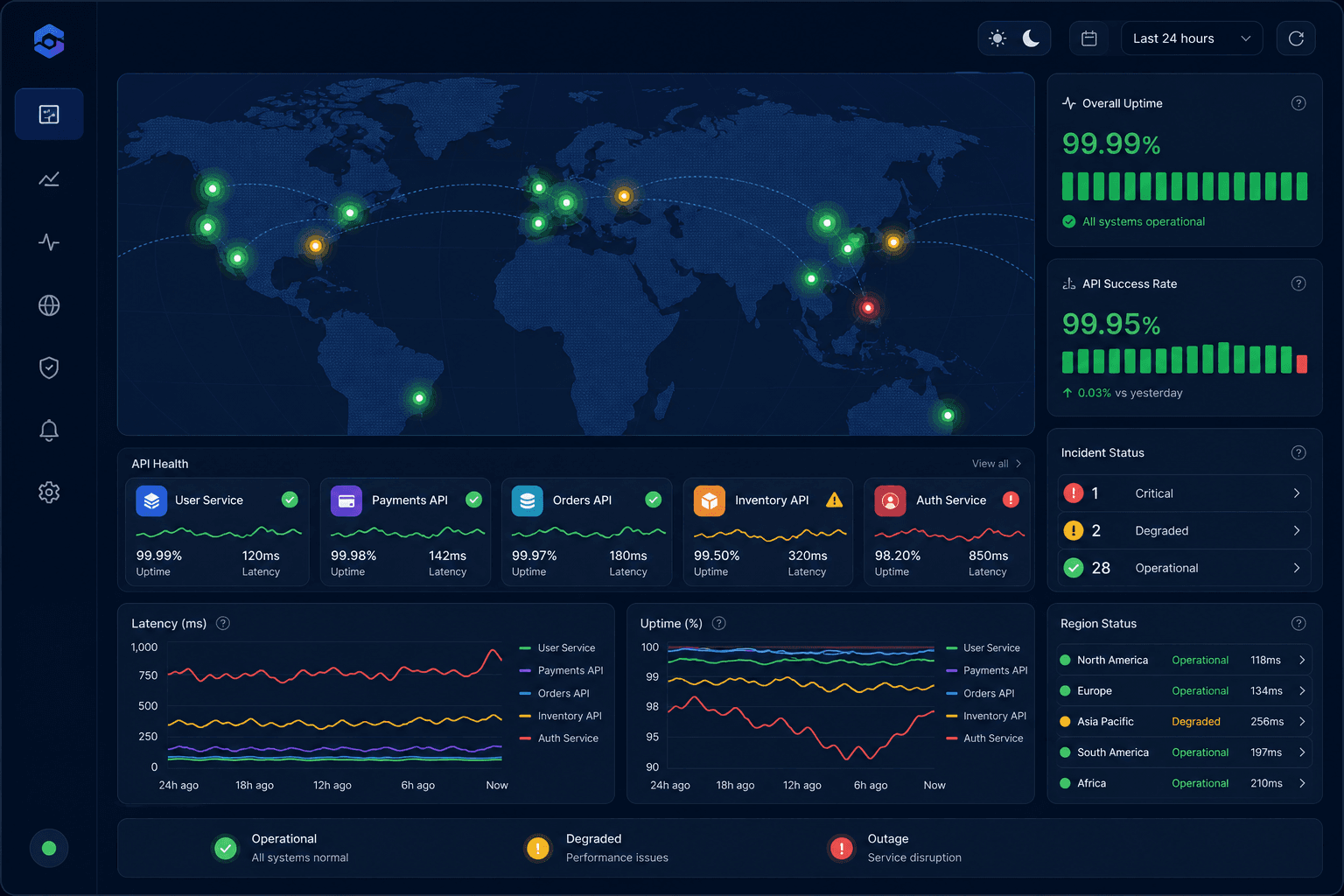
Multi-region monitoring is the practice of checking your website, APIs, and network paths from several geographic locations instead of relying on a single probe. For SaaS teams, this matters because users rarely experience reliability from one place. They log in from different countries, networks, devices, and cloud regions. A service can look healthy from your office or primary cloud region while customers in another market see timeouts, slow dashboards, failed API calls, or broken login flows.
That is why a strong SaaS reliability strategy should answer more than "is the service up?" It should answer where the service is reachable, how fast it responds, whether critical workflows still work, and whether a failure affects one region or everyone. Multi-region monitoring gives teams the evidence needed to make that distinction quickly.
Why Single-Region Monitoring Is Not Enough
Single-region monitoring creates a narrow view of availability. If the check runs from one location and succeeds, the dashboard stays green. But that green status can hide several real production problems.
A CDN edge may fail in Europe while North America remains healthy. DNS may propagate correctly in one region and incorrectly in another. A cloud provider route may degrade between Asia and your origin. A third-party API may be reachable from your backend region but slow from another network path. Users experience these issues as product failures, even if your basic monitor reports uptime.
Start With Critical User Journeys
The best monitoring strategy begins with user impact, not infrastructure inventory. Before adding probes everywhere, list the workflows that define whether the product is usable.
For most SaaS teams, those workflows include:
- Marketing site availability
- Login and session creation
- Dashboard loading
- Core API requests
- Billing or checkout actions
- Search, reporting, or data export flows
- Status page and support entry points
Each workflow should have at least one monitor that checks it from the regions where users matter most. A homepage uptime check is useful, but it does not prove that authenticated customers can use the product.
Choose Regions Based on Customers, Not Symmetry
Many teams choose monitoring locations by spreading probes evenly across a map. That looks good visually, but it may not match business risk. Monitoring should reflect where your users, customers, partners, and infrastructure actually are.
Start with three layers:
- Primary customer regions, such as North America, Europe, or Asia-Pacific.
- Infrastructure regions, such as the cloud regions where your app, database, CDN, or workers run.
- Growth regions, where marketing campaigns, enterprise prospects, or new markets are expected to increase traffic.
Combine Uptime, API, and Ping Monitoring
Multi-region reliability is not one metric. It is a combination of signals from different layers.
Website uptime monitoring confirms that public pages and application entry points return valid responses. These checks should validate status codes, response time, redirects, and expected page content. A 200 OK response is not enough if the page is empty or showing an error state.
API monitoring confirms that backend endpoints behave correctly. For SaaS teams, this should include authentication, key customer-facing endpoints, response validation, and latency percentiles. API checks are especially important because many product failures appear as partial API degradation rather than full website downtime.
Ping monitoring adds network-path visibility. It helps detect latency, packet loss, jitter, and regional reachability issues before they become obvious at the application layer. Ping checks are not a replacement for uptime or API checks, but they explain whether a failure may be network-related.
Reduce False Positives With Regional Confirmation
Multi-region monitoring can create noise if every isolated probe failure becomes a critical alert. A single probe may fail because of a local network issue, temporary packet loss, or a transient routing problem. The strategy should separate local probe noise from real user impact.
A practical rule is to require confirmation from multiple locations before triggering high-severity alerts. For example, if one region fails once, mark it as degraded and keep watching. If two or more independent regions fail, escalate. If one region fails repeatedly while others stay healthy, create a regional incident rather than a global outage.
Track Latency Percentiles by Region
Availability alone misses slow failures. A SaaS product can stay online while becoming painful to use. That is why latency should be tracked by region and by percentile.
Averages are often misleading because they hide the slowest user experiences. Track p50, p95, and p99 response times for important pages and APIs. If p95 rises in Europe but stays normal in the United States, the issue is likely regional. If p99 rises everywhere, the problem may be a shared backend dependency, database bottleneck, deployment issue, or third-party API slowdown.
Connect Alerts to Ownership
Monitoring only helps if the right people receive actionable alerts. Multi-region alerts should include the affected regions, failed checks, error messages, recent latency changes, and whether the issue appears regional or global.
Route alerts by service ownership. Website checks may go to the frontend or platform team. API workflow failures may go to backend owners. Ping and packet loss issues may go to infrastructure or network operations. Status page alerts should reach the team responsible for customer communication.
Clear ownership reduces the time spent asking who should investigate. During an incident, that saved time matters.
Use the Status Page for Regional Transparency
When a regional incident affects users, a status page helps communicate impact clearly. Instead of saying "some users may be affected," show which components or regions are degraded. This is especially valuable for SaaS companies with global customers because users want to know whether the issue affects their region, their API access, or the whole product.
A good status page should be connected to monitoring data, but teams should still have manual control for nuanced incidents. Automated updates are fast. Human updates provide context.
Final Thoughts
A multi-region monitoring strategy helps SaaS teams see reliability the way users experience it: across locations, network paths, pages, APIs, and workflows. The goal is not to create a larger wall of dashboards. The goal is to detect real user-impacting issues faster, classify them correctly, reduce false positives, and respond with the right team and message.
For SaaS products, the strongest setup combines website uptime monitoring, API monitoring, and ping monitoring from the regions that matter most. When those signals are tied to clear alert ownership and transparent status communication, monitoring becomes more than a technical safety net. It becomes a practical system for protecting trust, revenue, and product reliability.