


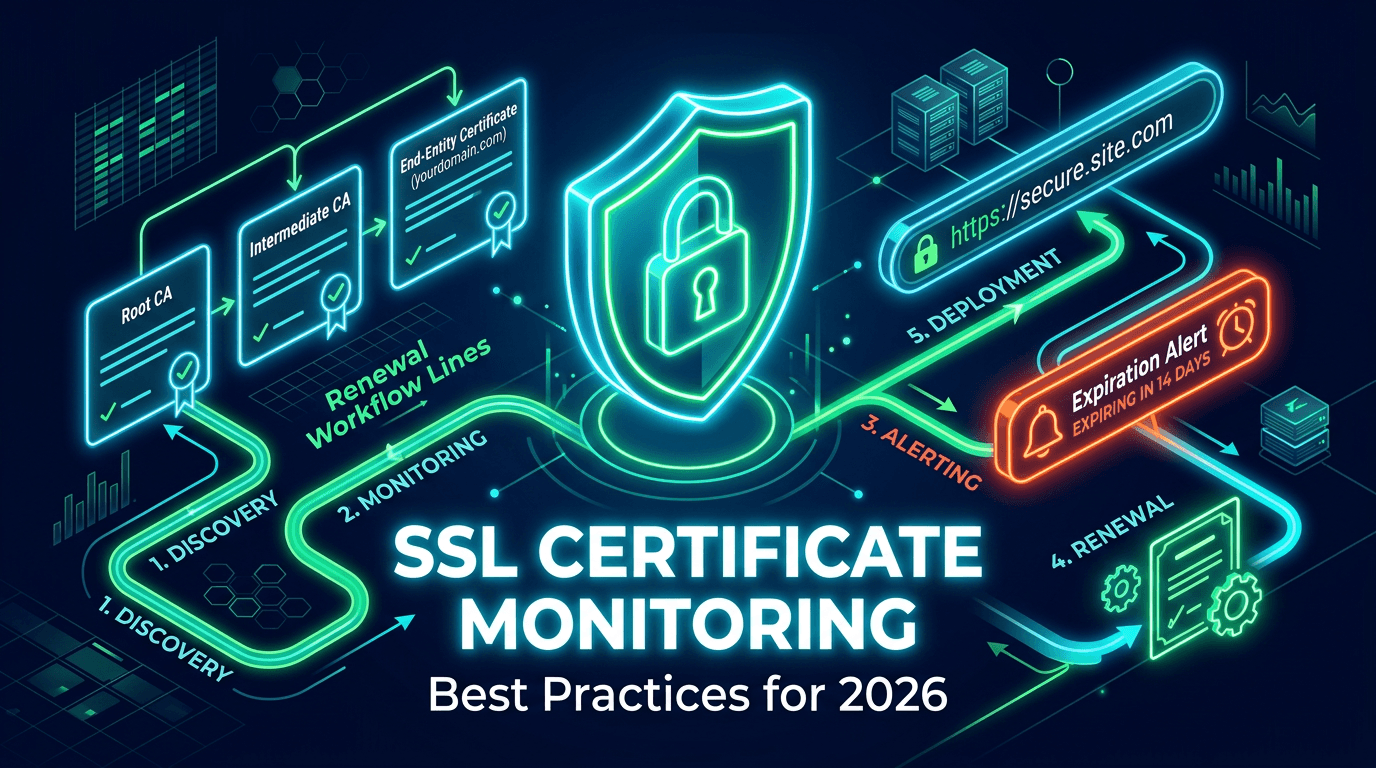
SSL renewal automation has moved from convenience to necessity. As certificate lifecycles become shorter and infrastructures become more distributed, manual renewal tracking is too fragile for serious production systems. One failed renewal or incomplete deployment can trigger browser warnings, break API consumers, interrupt revenue paths, and damage user trust immediately. The certificate may only be one technical component, but when it fails, the whole site appears unsafe.
That is why teams in 2026 need more than certificate reminders. They need a reliable renewal process that automates issuance, validates domain control, deploys the updated certificate correctly, verifies what users actually receive, and alerts the right people when anything drifts. This guide explains how SSL renewal automation should work if the goal is to protect production instead of merely reduce admin effort.
Why SSL Renewal Automation Matters More Now
The public certificate ecosystem is moving toward shorter validity periods. That means certificates need to be renewed more often, which increases both operational frequency and opportunity for error. A process that felt manageable when renewals happened once a year becomes risky when it happens far more often across multiple services, subdomains, environments, and edge locations.
Automation solves part of this by removing manual repetition, but automation alone is not enough. Many certificate incidents now happen after automation appears to succeed. The certificate gets renewed, but not deployed. It reaches the load balancer, but not the CDN edge. It covers most domains, but not a critical SAN. So the real goal is not merely automated renewal. It is automated renewal with verification.
Step 1: Build a Reliable Certificate Inventory
Before automating anything, you need visibility. Every organization should know which certificates exist, which domains they cover, where they are deployed, who owns them, how they renew, and which systems depend on them. This includes customer-facing websites, APIs, internal dashboards, staging systems, email services, and legacy hosts that still matter.
This inventory is the foundation of successful automation because it prevents hidden certificate debt. Teams are often surprised to discover an old ingress controller, forgotten subdomain, or inherited service using a certificate nobody actively owns. Automation works best when every certificate has both system context and human accountability.
Step 2: Standardize Renewal Paths Where Possible
The more varied your certificate workflows are, the harder they are to automate safely. If some certificates renew through ACME, others through a cloud console, others through manual vendor portals, and still others through internal scripts, operational complexity rises fast. That is not always avoidable, but reducing unnecessary variation helps a lot.
Where possible, standardize around a small number of supported renewal patterns. This makes monitoring, deployment logic, ownership, and troubleshooting more predictable. Standardization also reduces the risk that a rare certificate path gets forgotten until it breaks under pressure.
Step 3: Separate Issuance From Deployment
One of the biggest conceptual mistakes in SSL operations is combining renewal success with production success. Issuance is only one step. A certificate that was issued successfully but never deployed still produces the same outage as a certificate that was never renewed at all.
That is why strong automation treats issuance and deployment as separate stages, each with its own validation. First, the certificate is issued. Then it is distributed to the right environment, reloaded where needed, and externally verified at the live endpoint. This layered model is much more resilient than assuming one green automation job means everything is safe.
Step 4: Verify the Live Endpoint After Renewal
Every renewal workflow should end with outside-in verification. The monitoring system should connect to the live service and inspect the presented certificate. It should confirm expiration date, issuer, SAN coverage, and chain health. This is the closest possible check to what real users experience.
Without this step, teams can miss deployment failures for hours or days. Maybe the service is still serving the old certificate. Maybe one region updated and another did not. Maybe IPv4 is correct but IPv6 is stale. External verification is what closes the gap between automation confidence and production truth.
Step 5: Watch SAN Coverage Closely
Renewals can fail in subtle ways when Subject Alternative Names are involved. A reissued certificate may exclude one hostname, mis-handle a wildcard assumption, or change expected coverage after a service architecture update. If that missing SAN belongs to an admin portal, customer tenant subdomain, or API edge, the impact can be significant.
Good automation includes a comparison between expected domain coverage and actual SAN coverage after renewal. This is especially important in SaaS environments where hostnames expand over time or infrastructure shifts between edge providers. SAN drift should never remain invisible until a browser mismatch exposes it publicly.
Step 6: Add Layered Alerts Around the Workflow
Automation should reduce manual work, not eliminate human awareness. Teams still need visibility into failures, delays, and unexpected changes. Alerts should be tied to the full lifecycle: upcoming expiration, failed issuance, deployment failure, verification mismatch, and post-renewal anomalies.
These alerts should not all have the same urgency. A 30-day expiration notice is a planning event. A failed live verification after renewal is an incident. Good alert design prevents panic while still ensuring critical problems are routed fast. It also creates trust in the process because teams know they will be informed when automation does not behave as expected.
Step 7: Integrate Renewal With Ownership and Escalation
Every critical certificate should have an owner, and every automation failure should have a clear escalation path. This is not just governance language. It is operational speed. When a renewal pipeline fails at 2 a.m., the issue must already know where to go.
Ownership is especially important in multi-team environments where platform engineers manage the automation layer, product teams own domains, and security teams oversee trust policy. Renewal automation is strongest when those responsibilities are mapped clearly ahead of time instead of negotiated during an outage.
Step 8: Plan for Edge and CDN Complexity
Distributed delivery creates one of the hardest SSL renewal challenges. A certificate may be renewed and correctly installed at the origin while one CDN edge, regional cache layer, or third-party proxy still serves an old version. This is why edge-aware verification matters so much in 2026.
If your platform relies on a CDN, WAF, or multiple ingress layers, the renewal process should include checks from more than one geographic perspective. This helps catch partial propagation and region-specific issues that centralized validation would miss. In practice, many certificate incidents now happen in the distribution layer rather than the issuance step.
Step 9: Keep a Human-Readable Audit Trail
Automation does not remove the need for history. Teams still need to know when a certificate was renewed, what changed, where it was deployed, and whether verification passed. This helps in post-incident review, compliance evidence, and troubleshooting recurring issues.
An audit trail should not be buried in one pipeline log. It should be accessible enough that operators can answer basic questions quickly. Which certificate changed? When? Did the SAN list change? Was deployment successful everywhere? Good history makes future incidents shorter and future improvements easier.
Common Mistakes to Avoid
The first major mistake is assuming auto-renew means zero risk. The second is verifying only issuance but not deployment. Another common issue is forgetting about non-web services such as API gateways, email servers, and internal tools. Teams also underestimate wildcard limitations and SAN coverage drift, especially as infrastructure grows more dynamic.
Another frequent problem is treating certificate operations as too isolated from monitoring. Renewal automation without SSL monitoring still leaves teams blind to live endpoint reality. The strongest programs combine both: automation to do the work, monitoring to prove it worked.
What to Look for in an SSL Automation Strategy
The best SSL renewal automation strategy includes certificate inventory, standardized workflows, external verification, multi-stage alerts, ownership mapping, SAN validation, and edge-aware deployment checks. If the process cannot tell you what was renewed, where it was deployed, and what users currently receive, it is incomplete.
Teams should aim for a model where certificate renewal becomes routine, visible, and testable rather than stressful, opaque, and dependent on tribal knowledge. That is the real benchmark of maturity.
SSL renewal automation in 2026 is not just about saving time. It is about protecting production from one of the most avoidable outage classes in modern infrastructure. The organizations that do this well understand that renewal is a workflow, not a date on a calendar. It includes issuance, deployment, verification, alerting, and ownership.
When those pieces work together, certificate management stops being a recurring risk and becomes a controlled process. That shift is what prevents trust failures, protects customer journeys, and keeps HTTPS working the way users expect: invisibly and reliably.