


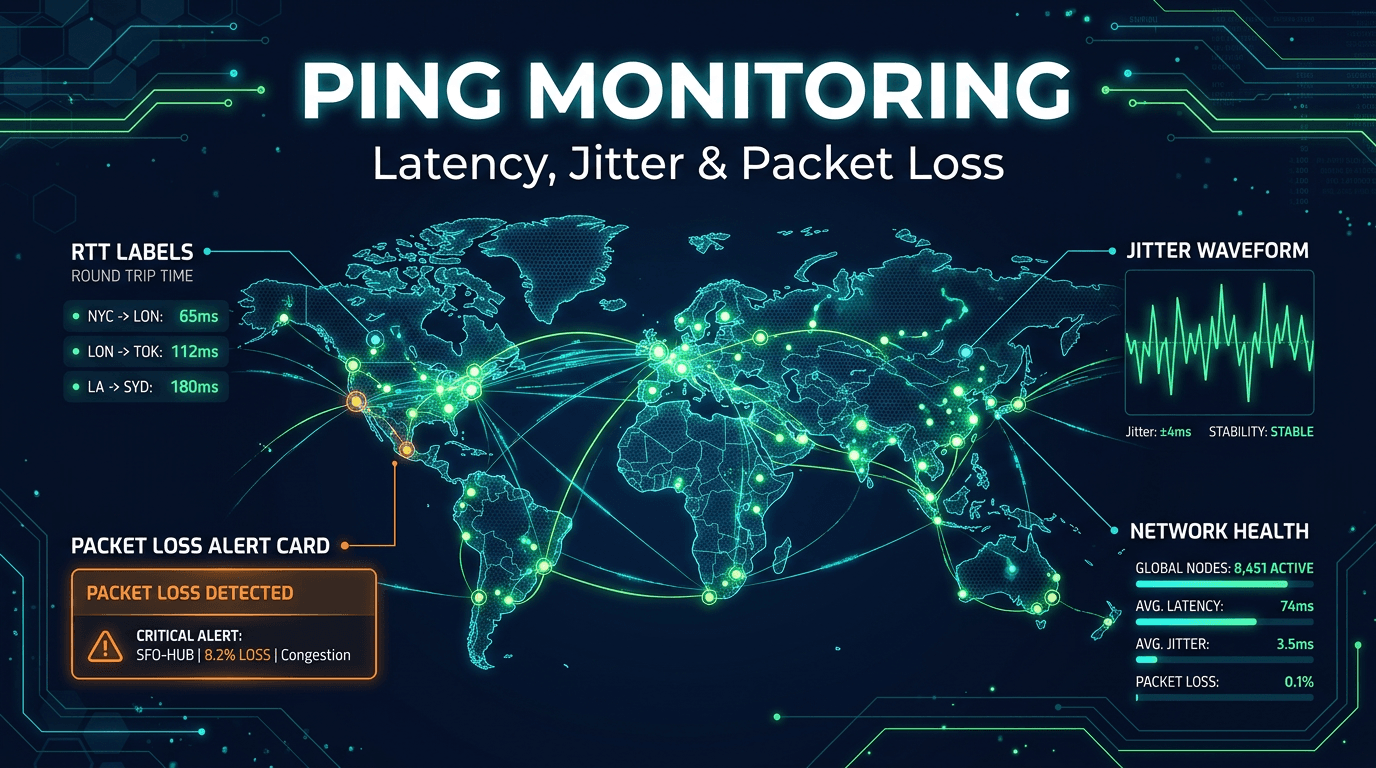
Ping monitoring is one of the simplest monitoring concepts to understand and one of the easiest to underestimate. At first glance, it seems basic: send a probe, wait for a response, measure round-trip time. But in real operations, ping data often provides the earliest and clearest signal that something is wrong with the network path long before a user reports a problem or an application check turns red.
In 2026, this matters even more because modern systems are distributed across cloud regions, edges, third-party providers, branch networks, and remote teams. A service can be technically running while still becoming unreachable or painfully slow because the network path is degrading. Strong ping monitoring helps teams detect those problems early by tracking latency, packet loss, jitter, and regional reachability in a disciplined way.
Why Ping Monitoring Still Matters
Many organizations focus heavily on application-level checks and treat network-layer monitoring as secondary. That is a mistake. Application failures often start with network symptoms: unstable routing, partial packet loss, congested paths, firewall drift, VPN instability, or regional ISP issues. Ping monitoring helps isolate those problems before teams waste time blaming the application.
Ping data is also highly useful during incident triage. If application alerts fire at the same time as rising round-trip time and packet loss, responders immediately know the issue may sit below the app layer. If application failures occur without network degradation, the investigation can start higher in the stack. This simple distinction saves time and reduces guesswork during high-pressure incidents.
Best Practice 1: Track More Than Reachability
Too many teams use ping as a binary yes-or-no check. That leaves a lot of value on the table. Reachability matters, but it is only the beginning. Strong ping monitoring tracks latency, packet loss, and jitter over time, because degradation often shows up in those metrics before full unreachability appears.
For example, a host may continue responding while latency doubles during peak hours, packet loss rises sporadically, or jitter becomes unstable enough to hurt real-time systems. These trends may not trigger a traditional "down" alert, but they still affect users, applications, and service quality. Treat ping monitoring as a quality signal, not just an up/down indicator.
Best Practice 2: Establish Baselines Per Target
Not all targets should be judged by the same thresholds. A server in the same metro area may normally respond in 10ms. A service across continents may normally sit closer to 140ms. If you use generic thresholds for everything, you either create false positives or miss meaningful degradation.
The better approach is to establish baselines per target, per region, and sometimes per time of day. Once you know what healthy looks like, monitoring can detect abnormal deviation rather than comparing everything to a single static rule. Baselines make alerts smarter and give teams better context when investigating changes in network behavior.
Best Practice 3: Monitor From Multiple Global Locations
A network path is never universal. One region may reach a host without issue while another sees packet loss or routing instability. If you rely on one source location, you can miss partial outages and regional degradation that affect real users.
Multi-location ping monitoring is one of the strongest ways to reduce blind spots. It shows whether a problem is local, regional, or global and helps distinguish target issues from transit or provider problems. For globally distributed services, this is essential. A platform may be healthy for your internal office network and unhealthy for a major customer region at the same time.
Best Practice 4: Use ICMP and TCP Together When Needed
ICMP ping is useful, but it is not always enough. Some environments rate-limit or block ICMP traffic. Some cloud and security configurations intentionally deprioritize it. If you rely only on ICMP, you may interpret policy behavior as service failure.
That is why many teams combine ICMP monitoring with TCP-based checks on important service ports. TCP reachability can confirm whether the host or service path is available even when ICMP behavior is restricted. This dual approach gives more reliable coverage and reduces the risk of false conclusions during incidents.
Best Practice 5: Treat Packet Loss as a First-Class Signal
Packet loss often tells the story before a site or service goes down completely. A few percentage points of loss may not break every workflow immediately, but they can degrade APIs, increase retries, create streaming issues, and make user interactions feel inconsistent. This is especially important for remote work, voice, video, and transactional systems.
Monitoring packet loss over rolling windows helps catch instability early. Rather than alerting on a single dropped packet, teams should look for sustained or repeated patterns. Small but persistent packet loss is often more operationally important than one dramatic but isolated spike.
Best Practice 6: Watch Jitter, Not Only Latency
Average latency can look acceptable while user experience still feels poor because jitter is high. Jitter reflects variation between packet timings, and it matters most for systems where consistency matters: VoIP, conferencing, gaming, live dashboards, and remote desktop sessions.
If round-trip time stays around a manageable average but jumps erratically between responses, users experience instability even if the average looks fine on paper. Monitoring jitter gives teams a better view of path quality and helps explain why complaints arise even when "average ping" seems normal.
Best Practice 7: Align Thresholds With Business Use Cases
A latency threshold that is tolerable for a nightly backup target may be unacceptable for a voice platform or payment workflow. Good ping monitoring aligns thresholds with the actual service behind the target. For some systems, a rise from 20ms to 80ms is only a warning. For others, it is operationally serious.
Classify targets by use case. Real-time traffic deserves tighter thresholds. Internal tools may tolerate more variation. Global paths need different expectations from local ones. Business-aligned thresholds produce better alerts and help responders prioritize based on actual impact rather than arbitrary numbers.
Best Practice 8: Correlate Ping With Higher-Level Monitoring
Ping monitoring alone is never enough to judge application health. A host may respond perfectly to pings while the application process is down, the database is failing, or the API is timing out. But ping becomes much more powerful when combined with uptime checks, API checks, port checks, and logs.
Correlation helps teams move faster. If ping shows loss at the same time a port monitor fails and API latency spikes, the problem likely begins in the network or infrastructure path. If ping remains stable while the application fails, the investigation should move upward. The more your monitoring signals can be compared side by side, the better your troubleshooting becomes.
Best Practice 9: Review Trends, Not Only Incidents
The most valuable ping monitoring programs are not only reactive. They look for drift. Is a region becoming slower every week? Are packet loss spikes happening at the same hour each day? Is a remote office consistently worse after a networking change? These trends often reveal capacity, routing, or provider issues before they create urgent incidents.
Historical charts are especially useful for vendor management and infrastructure planning. They help teams show whether an ISP, edge provider, or cloud region is meeting expectations over time instead of relying on isolated anecdotal complaints.
Best Practice 10: Test the Alert Flow Regularly
As with any monitoring system, ping alerting needs validation. It is common to configure thresholds and assume the alert path works, only to discover later that notifications were routed incorrectly or ignored due to unclear severity.
Test your alerts on non-critical targets or scheduled drills. Confirm that warnings, incidents, and recoveries are visible to the right people. Review whether the alert contains enough context: target, region, metric type, duration, and recent behavior. Good alert formatting is part of monitoring quality because responders act faster when the signal is easy to interpret.
Common Mistakes to Avoid
The first common mistake is treating every ping failure as an outage. One dropped packet from one region rarely deserves a high-severity alert. Another mistake is relying on ping alone for service health. Ping tells you about the path, not the application. Teams also often ignore jitter and overfocus on raw latency averages, which creates blind spots in real-time environments.
A final mistake is failing to maintain baselines. Networks change, routes evolve, and regions behave differently. Without regular review, thresholds become stale and alerts lose quality.
What to Look for in a Ping Monitoring Platform
The best ping monitoring platforms support ICMP and TCP methods, multi-location execution, historical latency analysis, packet loss tracking, jitter reporting, and flexible alert conditions. It also helps when the platform can compare ping data with uptime, API, and port monitoring so that network signals do not live in isolation.
The goal is not just to know whether a host answered. The goal is to understand whether the network experience is healthy, stable, and consistent enough to support the services running on top of it.
Ping monitoring remains one of the highest-value, lowest-complexity ways to improve infrastructure awareness. When implemented well, it provides early warning of network degradation, helps teams isolate incidents faster, and reveals regional problems application checks may not explain clearly on their own.
In 2026, the smartest teams use ping monitoring as part of a layered strategy: reachability, latency, jitter, packet loss, global visibility, and correlation with higher-level service checks. That is what turns ping from a simple probe into a serious operational signal.