


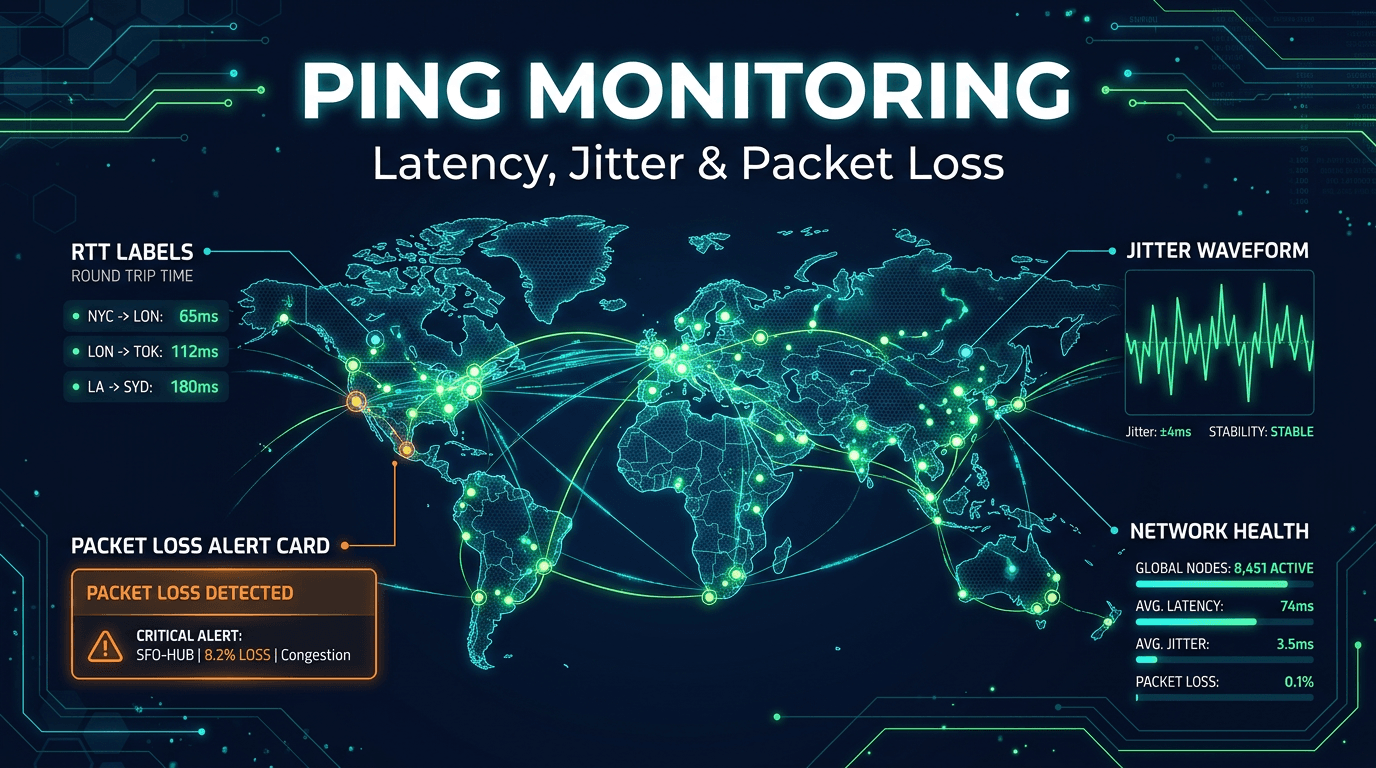
Network latency monitoring is one of the clearest ways to understand how infrastructure quality affects user experience. A system can remain technically online while still feeling broken because response paths are slow, unstable, or regionally inconsistent. Users may describe the site as laggy, the dashboard as sluggish, or the product as unreliable even though the backend is still answering requests. This is where latency monitoring becomes essential.
In 2026, digital systems are more distributed than ever. Traffic moves through cloud providers, CDNs, API gateways, corporate networks, remote offices, mobile carriers, and third-party services. Each hop adds variability. That means performance problems often begin at the path level before they become application incidents. Monitoring latency helps teams spot those early signals and respond before users start to feel them at scale.
Why Latency Monitoring Matters
Availability alone does not capture experience. A service that responds in 50ms and a service that responds in 900ms may both look "up" to a binary health check, but users experience them very differently. For interactive products, latency is often one of the first metrics that shapes trust. Slow systems feel unreliable even before they fail.
Latency monitoring is also valuable because it helps isolate where trouble begins. If application performance worsens at the same time network round-trip times rise sharply, responders can investigate below the application layer sooner. If app metrics degrade while network paths remain stable, the team can focus elsewhere. This makes latency one of the most useful signals for narrowing incident scope quickly.
Round-Trip Time Is the Starting Point
Round-trip time, or RTT, measures how long it takes for a packet to travel to a target and back. It is the most familiar latency metric and a useful baseline for path quality. But RTT should not be interpreted in isolation. Healthy RTT depends on geography, network design, and service type.
For a nearby regional service, 15ms may be normal. For a cross-continent dependency, 140ms may be expected. That is why strong latency monitoring builds per-target baselines and focuses on deviation from normal, not arbitrary universal numbers. Context is everything. A jump from 20ms to 90ms can be a bigger warning than a stable 140ms path if the first target is normally local and critical.
Jitter Often Explains the "Feels Slow" Problem
Average RTT may look acceptable while users still report instability. This often happens when jitter is high. Jitter measures variation between response times across packets or requests. When that variation becomes large, interactions feel inconsistent even if the mean is not terrible.
This matters especially for live dashboards, voice, video, remote sessions, multiplayer systems, and any product where smoothness matters as much as raw speed. Monitoring jitter helps teams explain complaints that average latency alone does not capture. It also provides an early clue that the path is becoming unstable before hard errors appear.
Packet Loss Changes the Meaning of Latency
Latency and packet loss should be monitored together. A high RTT is bad, but moderate latency combined with low-level recurring packet loss can be even more disruptive because it causes retries, stalls, and unpredictable performance. Users do not care whether the issue is technically "loss" or "delay." They care that the product feels broken.
This is why a strong network latency monitoring practice includes loss tracking in the same view. If latency spikes and loss increases together, the problem likely sits in the path, congestion, or provider layer. Seeing those signals side by side makes diagnosis much easier.
Use Multi-Region Visibility
Latency is never universal. A path may be excellent in Europe and poor in Asia. A CDN edge may perform well in one country and badly in another. An ISP transit issue may affect one customer segment while internal office testing looks normal. If you only measure from a single location, you are observing the path from your perspective, not from the user's perspective.
Multi-region monitoring solves this by showing performance from several markets at once. This is especially important for global SaaS, e-commerce, and media businesses. It also helps teams prioritize incidents correctly. A regional latency event affecting a key market may deserve urgent action even if the global average still appears acceptable.
Build Baselines Per Region and Service
Thresholds work best when they reflect how a service normally behaves. One of the most common monitoring mistakes is using the same latency threshold for every target. That creates noise for long-haul paths and weak sensitivity for nearby services. The fix is to baseline by service and region.
For example, a payment API from a nearby region may have a 40ms baseline and deserve a warning at 120ms. A reporting endpoint from another continent may have a baseline near 200ms and deserve different expectations. Baselines create more relevant alerts and help teams separate real regressions from ordinary distance effects.
Look for Patterns Over Time
Latency monitoring becomes much more useful when viewed historically. The most interesting problems are often not dramatic one-time spikes. They are patterns. Maybe RTT worsens every weekday at 9 a.m. Maybe one cloud region drifts higher each month. Maybe packet loss appears during backup windows or traffic bursts. These trends are incredibly useful for capacity planning and provider evaluation.
Historical latency trends also make post-incident work better. Teams can compare before and after states, identify when degradation truly began, and prove whether a fix improved the path. That turns monitoring into a learning tool instead of just an alarm system.
Alert on Degradation, Not Just Failure
If you only alert when a path becomes unreachable, you are missing much of the value of latency monitoring. Many serious incidents begin with performance degradation. By the time a service is fully unreachable, users may have already experienced slow interactions for quite a while.
Good alert design includes warnings for sustained RTT growth, repeated jitter spikes, or loss trends above normal. These do not all need to page someone immediately, but they should create visibility before performance pain turns into a customer-facing outage.
Correlate Latency With Application Signals
Latency monitoring is strongest when it sits beside application metrics. If p99 API latency worsens at the same moment RTT rises between regions, that is meaningful. If user complaints increase while path quality degrades toward one market, that is meaningful too. Correlation helps teams move quickly from symptom to likely cause.
This is one reason integrated monitoring platforms are so valuable. They help teams view network health, uptime, API performance, and incident signals together rather than forcing separate investigation tracks. Faster correlation usually means shorter incidents.
Common Mistakes to Avoid
One common mistake is relying only on averages and ignoring p95-style network behavior. Another is failing to separate normal long-distance latency from genuine regression. Teams also often overlook jitter, which leaves them blind to path instability. A final mistake is checking too infrequently, which causes short but important degradation windows to disappear from view.
Another subtle error is not aligning latency severity with business impact. A spike on a background reporting path does not matter the same way as a spike on login or checkout traffic. Monitoring should reflect that difference.
What to Look for in a Latency Monitoring Platform
The best platforms track RTT, jitter, packet loss, multi-region behavior, historical patterns, and flexible alerting. They should also make it easy to compare network conditions with higher-level service metrics. That makes the data actionable rather than purely diagnostic.
The goal is simple: know when a path is getting worse before users start describing the whole product as slow. The faster you see that pattern, the better your chance of protecting experience.
Network latency monitoring matters in 2026 because digital experience depends on path quality just as much as application correctness. A site can be online and still feel unreliable if the route to it is unstable or slow. Teams that monitor latency well gain early warning, faster triage, and better regional visibility.
For organizations serving customers across multiple networks and geographies, this is no longer optional detail work. It is part of delivering a product that feels responsive and trustworthy every day.