


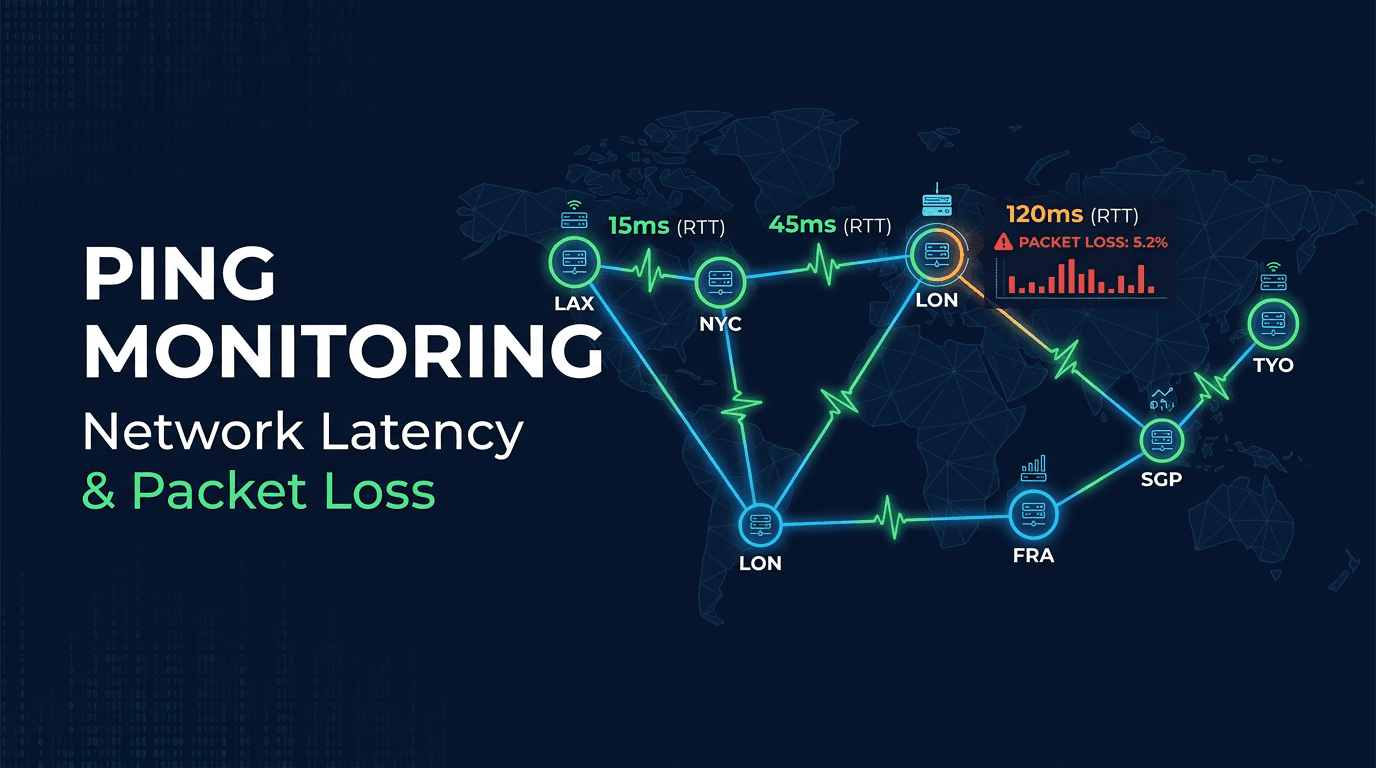
Ping monitoring is the continuous, automated practice of sending network probe packets to servers and measuring their response times to verify that hosts are reachable and network paths are healthy. It serves as the most fundamental layer of infrastructure monitoring — if a server cannot be reached over the network, nothing built on top of it will work. By tracking latency, packet loss, and jitter over time, ping monitoring provides early warning of network degradation before it escalates into application-level failures that affect users.
Why Ping Monitoring Matters
Network Problems Cause Application Failures
Most application outages that users experience originate at the network layer. A server that is running perfectly but cannot be reached due to a routing change, firewall misconfiguration, or ISP issue is functionally down. Ping monitoring detects these network-layer failures independently of application health checks, providing a separate signal that helps isolate root causes during incidents.
Early Warning Before Visible Impact
Network degradation often develops gradually. Latency increases by a few milliseconds per day, packet loss creeps from 0% to 0.5%, or jitter becomes inconsistent during peak hours. These subtle changes are invisible to users initially but predict future failures. Continuous ping monitoring tracks these trends and alerts when metrics cross warning thresholds.
Global Reachability Verification
A server may be perfectly reachable from the data center next door but completely unreachable from another continent due to international routing issues, undersea cable problems, or regional ISP outages. Multi-location ping monitoring reveals geographic reachability gaps that single-point monitoring misses.
Core Metrics
Latency (Round-Trip Time)
Latency measures how long a packet takes to travel from the monitoring probe to the target server and back, expressed in milliseconds. Reference benchmarks for interpreting results:
- Below 20ms: Excellent — same region or nearby data center
- 20-50ms: Good — typical same-continent connections
- 50-100ms: Acceptable — cross-continent or multiple network hops
- 100-200ms: Noticeable — users experience delays in interactive applications
- Above 200ms: Problematic — real-time applications degrade significantly
Track minimum, average, maximum, and percentile values (p95, p99) rather than just averages. A good average can mask severe intermittent spikes that affect real users.
Packet Loss
Packet loss is the percentage of sent packets that never receive a reply. Even small amounts cause visible degradation:
- 0%: Healthy network
- 0.1-1%: Minor — usually transient congestion
- 1-5%: Significant — users notice degradation in streaming and VoIP
- 5-20%: Severe — applications become unreliable
- Above 20%: Critical — effective connectivity loss
Common causes include network congestion, failing hardware, firewall rate limiting, ISP issues, and wireless interference.
Jitter
Jitter is the variation in latency between consecutive packets. Low, consistent latency is better than low average latency with high variance. Jitter above 10ms causes buffering in real-time applications like video conferencing, VoIP, and online gaming. Monitoring jitter helps identify unstable network paths that require attention.
Best Practices for Ping Monitoring
Use Multiple Probe Locations
Test from at least 3 geographically distributed locations. If only one location reports problems while others show healthy results, the issue is likely a regional network problem rather than a target server failure. Require 2 or more locations to confirm an outage before alerting.
Combine ICMP and TCP Ping
ICMP ping is the standard protocol, but some networks and cloud providers filter or rate-limit ICMP traffic. Supplement ICMP checks with TCP ping on known-open ports (80, 443) to ensure monitoring works even when ICMP is restricted. TCP ping also validates that the service port is accepting connections, not just that the host is reachable.
Set Appropriate Check Intervals
Critical infrastructure should be pinged every 30-60 seconds. Supporting services can use 2-5 minute intervals. Avoid intervals longer than 5 minutes for any production system — longer intervals mean longer detection times.
Establish Performance Baselines
Record typical latency and packet loss patterns for each target during normal operations. Use these baselines to set intelligent alert thresholds that account for expected variation. A server that normally responds in 15ms should alert at 50ms, while a cross-continent target with a 150ms baseline might alert at 250ms.
Monitor Both Directions When Possible
Network paths are asymmetric — the route from A to B is often different from B to A. If you have access to target servers, deploy reciprocal monitoring that tests both directions. Asymmetric routing issues can cause one-way packet loss that standard ping monitoring misses.
Common Mistakes to Avoid
Relying Solely on ICMP
Many firewalls and cloud security groups deprioritize or block ICMP traffic. If your monitoring only uses ICMP, you may see false outages when the host is actually reachable via TCP/UDP. Always have a TCP ping fallback.
Alerting on Single Packet Loss
A single lost packet is normal network behavior. Alert on sustained packet loss rates over time windows (e.g., more than 2% loss over 5 minutes) rather than individual packet failures.
Ignoring Time-of-Day Patterns
Network congestion follows predictable patterns tied to business hours, backup schedules, and regional internet usage peaks. Set alert thresholds that account for these patterns to avoid false positives during expected high-utilization periods.
Not Correlating With Application Metrics
Ping monitoring tells you whether a host is reachable, not whether the application on it is working correctly. Always pair ping monitoring with application-level health checks. A host that responds to pings but has a crashed application process is functionally down.
Use Cases
Server Infrastructure Monitoring
Monitor every production server, database host, and load balancer with ping checks. Network reachability is the foundation — if the host is unreachable, no higher-level monitoring can work.
Cloud and Multi-Region Deployments
Cloud instances can lose network connectivity due to security group changes, VPC misconfigurations, or provider-side networking issues. Ping monitoring from outside the cloud provider network detects these problems, which provider-internal monitoring may miss.
Remote Office and Branch Connectivity
Organizations with distributed offices need to verify that WAN links, VPN tunnels, and SD-WAN connections remain healthy. Ping monitoring provides continuous visibility into link quality across all locations.
ISP and CDN Performance Tracking
Monitor the network performance of your CDN edges and ISP links to verify that provider SLAs are being met. Historical latency and loss data supports vendor performance reviews and contract negotiations.
How UpScanX Handles Ping Monitoring
UpScanX performs ICMP and TCP ping monitoring from 15+ global locations with check intervals as frequent as every 30 seconds. Each check records round-trip time, packet loss, and jitter metrics. The platform establishes automatic performance baselines and alerts when latency or packet loss exceeds configured thresholds, confirmed from multiple locations to eliminate false positives.
Historical performance dashboards show latency trends, packet loss patterns, and geographic performance comparisons over time. Alerts are delivered through email, SMS, Slack, Discord, Teams, PagerDuty, and custom webhooks. Combined with uptime, port, and API monitoring, UpScanX provides complete network and application visibility from a single platform.
Ping Monitoring Checklist
For most production environments, a strong baseline includes multi-region probes, ICMP plus TCP fallback checks, packet loss thresholds, and at least one alert for sustained jitter spikes. If your business relies on voice, video, VPN, or remote office connectivity, jitter and regional latency should be treated as first-class metrics, not secondary diagnostics.
Ping monitoring is most useful when paired with route visibility and higher-level service checks. When you can correlate packet loss with traceroute changes and application errors, troubleshooting becomes much faster and more precise.
Start monitoring your network with UpScanX — free plan available.