


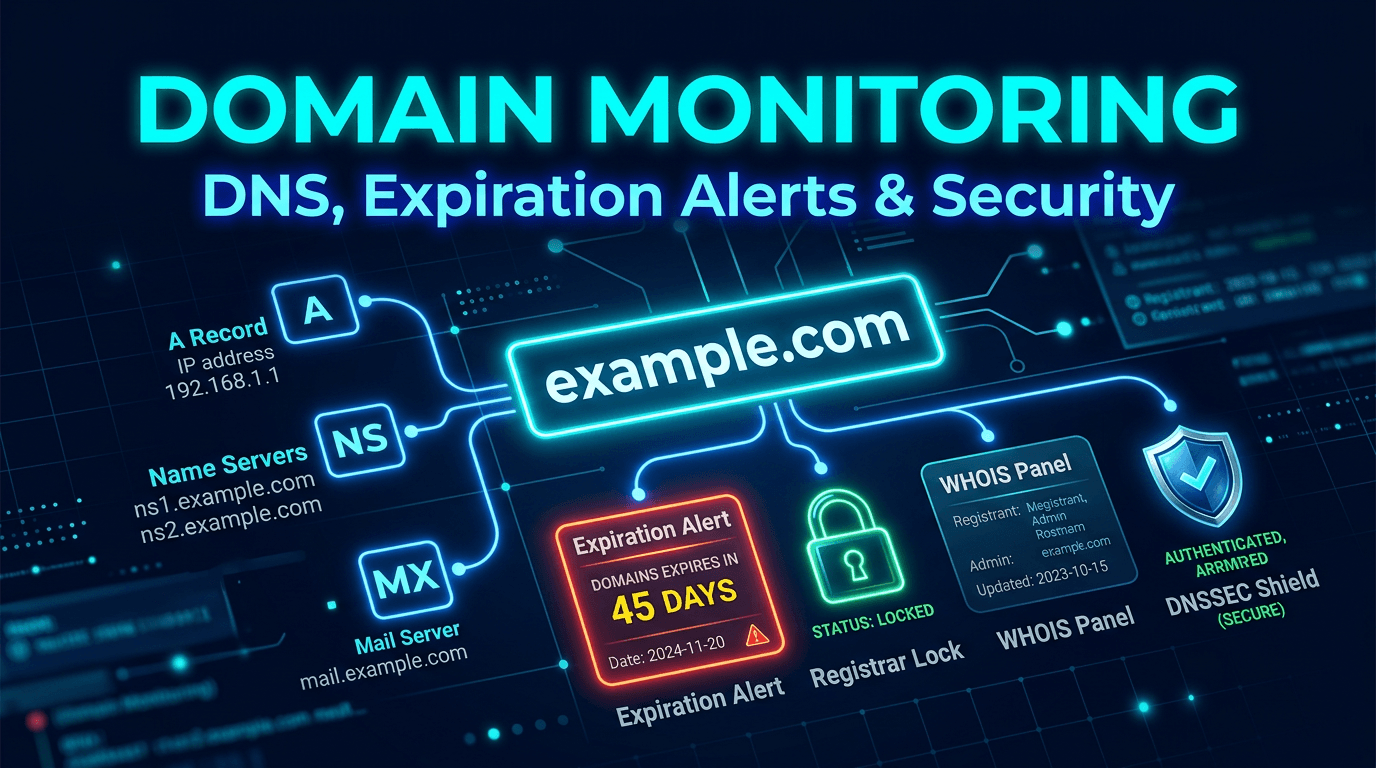
Domain monitoring is one of the most underestimated parts of website reliability. Teams spend time on uptime checks, server scaling, and application performance, but a single domain failure can make every healthy service appear broken at once. If DNS points to the wrong place, if a registrar lock is removed unexpectedly, or if a domain expires because billing failed, users do not see the nuance. They only see that your brand is offline.
That is why modern monitoring must include domains as first-class assets. In 2026, domain monitoring is no longer just about renewal reminders. It is about DNS integrity, registrar security, email deliverability, SEO continuity, and early hijack detection. This guide covers the best practices that help teams protect the one asset almost every digital experience depends on: the domain itself.
Why Domain Monitoring Matters More Than Most Teams Expect
When people think about outages, they usually imagine application or server failures. But domains sit above all of that. A broken DNS record, nameserver change, or registration issue can take down websites, APIs, and email at the same time. That makes domains one of the highest-leverage infrastructure layers to monitor well.
The business impact is wide. Organic traffic drops when crawlers cannot resolve important pages. Marketing campaigns fail when destination URLs stop loading. Support messages go missing when MX records break. Security risk increases when registrar access is weak or changes happen without detection. Good domain monitoring reduces all of those risks by turning silent changes into fast, understandable alerts.
Best Practice 1: Maintain a Complete Domain Inventory
You cannot monitor what you have not documented. Every organization should maintain a current inventory of active domains, subdomains, registrars, nameservers, expiration dates, lock status, DNS providers, and responsible owners. This includes primary brand domains, product domains, country-code domains, campaign domains, redirect domains, and inherited domains from acquisitions or old projects.
This inventory should also mark business priority. Some domains are revenue-critical. Others are important for SEO, support, or email continuity. Some are low-risk but still worth preserving. With clear inventory and prioritization, monitoring becomes much more effective because alerting, escalation, and review can match business importance.
Best Practice 2: Set Multi-Stage Expiration Alerts
Domain expiration remains a surprisingly common source of preventable incidents. Auto-renew helps, but it is not a guarantee. Failed cards, registrar billing issues, access problems, or administrative changes can still cause a domain to lapse. That is why expiration monitoring needs multiple alert stages.
For critical domains, use thresholds such as 60 days, 30 days, 14 days, 7 days, 3 days, and 1 day. Early alerts are for verification and billing checks. Later alerts are for escalation and direct intervention. Renewal workflows should not depend on one inbox or one person. Domain continuity is too important for that level of fragility.
Best Practice 3: Monitor DNS Record Changes Continuously
DNS records are easy to change and easy to overlook. A wrong A record can route traffic to the wrong host. A deleted MX record can stop email delivery. A changed TXT record can break verification or affect sender trust. Monitoring DNS snapshots over time helps teams detect drift and unexpected changes before customers notice.
The strongest monitoring platforms compare current DNS answers against the previous baseline and classify changes by severity. Not every change is bad. CDNs may rotate IPs, and service verifications may update TXT records. But NS changes, unexpected MX modifications, removed SPF records, or deleted CNAMEs often deserve immediate attention. Context matters, but visibility must come first.
Best Practice 4: Monitor Nameserver Integrity
Nameserver changes should be treated as high-risk events unless planned and documented. If nameservers change unexpectedly, the entire zone can effectively move out of your control. That is why nameserver monitoring is often one of the most important anti-hijack controls available to infrastructure teams.
Good domain monitoring checks both the parent view and the zone's actual state. If there is a mismatch, intermittent resolution failures may begin. Teams should define a clear response policy for nameserver alerts because response speed matters. In many environments, an unplanned NS change deserves immediate human review, even before broader incident confirmation.
Best Practice 5: Protect Email Records as Critical Infrastructure
Many teams think of domain monitoring as purely website-focused, but email records are just as important. MX, SPF, DKIM, and DMARC records influence whether your messages are delivered, delayed, or marked as spam. If those records change unexpectedly, the result may be silent operational damage.
That affects more than marketing emails. Product notifications, password resets, billing communication, support systems, and outreach campaigns all depend on domain-level email trust. Monitoring these records gives teams an early warning when deliverability risk appears. For many businesses, that makes domain monitoring both an infrastructure and communications control.
Best Practice 6: Treat Registrar Security as Part of Monitoring
A domain is only as secure as the registrar account controlling it. Strong domain monitoring should be paired with registrar hygiene: multi-factor authentication, least-privilege access, verified contacts, registrar locks, and documented recovery procedures. Monitoring should also alert on lock-state changes and other high-risk metadata shifts when possible.
This is where many organizations are weak. They monitor DNS but neglect the account layer that governs transfer and administrative control. A domain with strong DNS visibility but weak registrar access is still exposed. Monitoring works best when operational visibility and account security are treated as one system.
Best Practice 7: Include DNSSEC and Trust Signals
If you use DNSSEC, you need to monitor it intentionally. DNSSEC failures can be severe because validating resolvers may treat the domain as unavailable when signatures expire or chain-of-trust components break. This kind of issue can be harder to diagnose quickly if the monitoring stack is not watching DNSSEC health directly.
Monitoring should confirm that DS records exist where expected, signatures remain valid, and relevant trust relationships stay intact. Not every organization uses DNSSEC, but for those that do, DNSSEC is not a set-and-forget feature. It becomes another trust layer that requires visibility and periodic review.
Best Practice 8: Protect SEO-Critical Domain Assets
Domain monitoring matters for SEO because search engines need stable resolution to crawl and index content. If primary domains, subdomains, or international sites experience DNS instability, ranking and crawl performance can suffer. Even short incidents can damage visibility if they affect critical pages during important crawl windows or campaigns.
That is why SEO-critical properties should be clearly labeled in your monitoring setup. This includes core landing pages, country-specific domains, blog or documentation subdomains, and campaign destinations. Domain incidents should not be treated as purely technical background events. They often carry direct growth impact.
Best Practice 9: Monitor From Multiple Resolvers and Regions
DNS is highly distributed, which means answers may differ by resolver, geography, cache state, or propagation timing. A change may look healthy from one office while still failing in another market. Monitoring from multiple regions and through more than one resolver helps catch those inconsistencies quickly.
This is particularly useful during migrations, registrar moves, TTL-sensitive changes, CDN cutovers, and incident response. Teams need to know whether a DNS issue is global, partial, or resolver-specific. Multi-perspective checking makes the first minutes of troubleshooting much more efficient.
Best Practice 10: Build a Change Policy Around Domain Events
Monitoring is strongest when it is tied to policy. If a DNS change happens, who approved it? If nameservers change, who verifies it independently? If the registrar contact changes, what out-of-band check confirms legitimacy? Without a policy, teams know something changed but still lose time deciding how to interpret it.
A domain change policy should define approved windows, expected change types, responsible owners, and escalation paths. This is especially important for agencies, multi-brand organizations, and companies managing domains across several vendors. Monitoring tells you what happened. Policy helps you decide what to do next.
Common Mistakes to Avoid
One common mistake is relying entirely on auto-renew and assuming the domain problem is solved. Another is monitoring only the main domain while ignoring country domains, campaign domains, and redirect properties that still matter operationally. Teams also underestimate the value of monitoring email records and registrar state, which often creates blind spots.
Another recurring issue is lack of ownership. Domains are frequently managed by marketing, IT, procurement, or founders in fragmented ways. That makes incident response slow and increases the chance of surprise failures. Domain monitoring works best when domain operations are centralized enough to create accountability, even if access remains distributed.
What to Look for in a Domain Monitoring Platform
The best domain monitoring tools combine expiration tracking, DNS diffing, nameserver visibility, alert routing, and historical change logs. For more mature teams, support for registrar-related signals, DNSSEC awareness, and multi-region validation becomes especially valuable. It also helps when domain monitoring lives near uptime, SSL, and email-related visibility, because those systems influence each other.
A useful platform should not just announce that a record changed. It should show what changed, when it changed, and why the change might matter. That context helps teams act quickly without creating unnecessary panic over routine updates.
In 2026, domain monitoring is really about continuity. It protects traffic, trust, email, ownership, and brand presence all at once. The most effective teams do not treat domains as static assets they renew once a year. They treat them as live infrastructure with real operational and security risk.
If you want fewer avoidable outages and fewer domain-related surprises, start with the basics: inventory, ownership, expiration alerts, DNS change detection, nameserver monitoring, and registrar security. Then build upward into DNSSEC, regional visibility, and change policy. That approach turns domain monitoring into a strategic reliability layer instead of a last-minute admin task.