


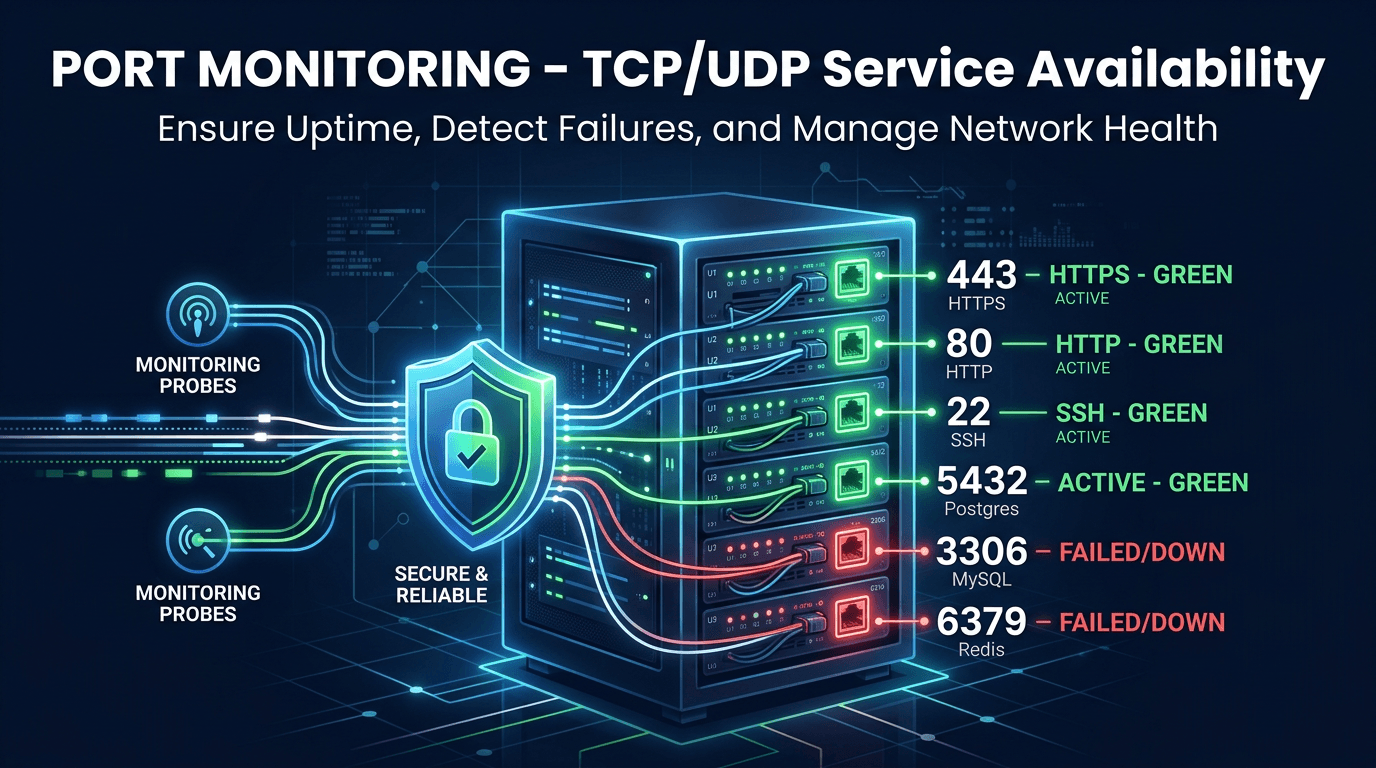
Port monitoring is the practice of continuously checking whether specific network ports on servers are open, accepting connections, and responding correctly. It operates at TCP/UDP Layer 4, independent of application-level protocols, which makes it essential for monitoring infrastructure services that HTTP checks cannot reach — databases, caches, message queues, mail servers, and custom application protocols. When a critical port goes down, every application that depends on that service fails. Port monitoring detects these failures in seconds, often before any user-facing symptoms appear.
Why Port Monitoring Matters
Infrastructure Services Are Invisible to HTTP Monitoring
HTTP uptime checks verify that web servers respond, but production applications depend on dozens of backend services that never serve HTTP traffic. A PostgreSQL database on port 5432, a Redis cache on port 6379, or a RabbitMQ broker on port 5672 can fail silently while the web server continues to accept requests — returning errors, stale data, or empty responses. Port monitoring catches these hidden failures.
Service Crashes Can Be Silent
A service process can crash without triggering any OS-level alert. The server keeps running, the network stays up, but the port stops accepting connections. Without port monitoring, these silent crashes are only discovered when dependent applications start failing and users report problems.
Security Posture Requires Port Visibility
Unauthorized open ports represent security vulnerabilities. A port that should not be accessible from the internet — whether from a misconfigured firewall, an unintended service startup, or a compromised system — creates an attack surface. Regular port monitoring detects these exposures.
Critical Ports to Monitor
Database Servers
- PostgreSQL: 5432
- MySQL/MariaDB: 3306
- MongoDB: 27017
- Redis: 6379
- Memcached: 11211
- Elasticsearch: 9200
Database unavailability is the most common cause of application errors. Monitor both primary and replica ports.
Web and Application Servers
- HTTP: 80
- HTTPS: 443
- Application servers: 8080, 8443, 3000, 5000
These ports should always be monitored alongside HTTP content checks for full coverage.
Message Brokers and Queues
- RabbitMQ: 5672 (AMQP), 15672 (management)
- Kafka: 9092
- NATS: 4222
Queue failures cause delayed processing, lost messages, and cascading application errors.
Other Critical Services
- SSH: 22
- SMTP: 25, 587
- IMAP: 993
- DNS: 53
- FTP: 21
Best Practices for Port Monitoring
Tier Your Services by Criticality
Not all services deserve the same monitoring intensity. Classify services into tiers:
- Tier 1 (Critical): Production databases, payment gateways, authentication services. Check every 15-30 seconds with immediate alerting.
- Tier 2 (Important): Application servers, caches, message brokers. Check every 30-60 seconds.
- Tier 3 (Supporting): Internal tools, development environments, monitoring infrastructure. Check every 2-5 minutes.
Set Proper Timeout Values
Use timeout values of 5-10 seconds for TCP connection attempts. Shorter timeouts generate false positives on busy servers; longer timeouts delay failure detection. Match timeouts to the expected connection establishment time for each service type.
Combine TCP Checks With Application Health Checks
A port accepting TCP connections does not mean the service is healthy. A database might accept connections but reject queries due to disk space exhaustion. Use port monitoring as the first-level check and layer application-specific health validation on top for comprehensive coverage.
Monitor Connection Counts and Patterns
Track not just whether a port is open, but how quickly connections are established. Rising connection establishment times often precede complete service failures. Monitor connection pool utilization for database servers to detect capacity constraints before they cause connection refused errors.
Alert on Percentage-Based Thresholds
Instead of alerting on a single failed connection attempt, use percentage-based thresholds over time windows. For example: alert when more than 20% of connection attempts fail over a 2-minute window. This reduces false positives from transient network issues.
Common Mistakes to Avoid
Only Monitoring Web Ports
HTTP/HTTPS checks cover only the tip of the infrastructure iceberg. Databases, caches, queues, and internal services all have ports that need monitoring. Map your application's dependencies and ensure every critical port is covered.
Ignoring UDP Services
UDP monitoring is harder than TCP because UDP is connectionless — there is no handshake to confirm. But DNS (port 53), DHCP, syslog, and game servers all use UDP. Use protocol-specific probes that send expected packets and validate responses.
Not Monitoring From Outside the Network
Internal port monitoring confirms that services are running, but external monitoring verifies that firewall rules and network configurations are correct. A port might be open on the server but blocked by a security group. Monitor from both internal and external perspectives.
Forgetting About Ephemeral Infrastructure
Cloud auto-scaling, container orchestration, and serverless functions create and destroy service instances continuously. Port monitoring must track dynamic infrastructure, updating targets as instances scale up or down.
Use Cases
Database Infrastructure
Monitor every database port in your production cluster — primary, replicas, and failover instances. Detect replication lag by monitoring replica ports alongside primary availability.
Kubernetes and Container Environments
Container services expose ports dynamically. Monitor service-level endpoints rather than individual container ports to track whether the Kubernetes service mesh is routing traffic correctly.
Network Security Auditing
Regular port scanning detects unauthorized services, verifies that decommissioned services are properly shut down, and confirms that firewall rules match security policy. Compare current port states against an approved baseline.
Compliance Monitoring
PCI DSS, SOC 2, and other frameworks require demonstrating that only authorized ports are accessible. Port monitoring provides continuous compliance evidence rather than point-in-time audit snapshots.
How UpScanX Handles Port Monitoring
UpScanX monitors TCP and UDP ports from 15+ global locations with configurable check intervals and timeout values. Each check validates connection establishment, measures connection latency, and records service response behavior. The platform supports monitoring any port on any host, with service-tier-based alert configuration.
When a monitored port becomes unreachable, alerts are confirmed from multiple locations and delivered through email, SMS, Slack, Discord, Teams, PagerDuty, and custom webhooks. Historical dashboards show port availability trends, connection latency patterns, and incident timelines. Combined with uptime, ping, and API monitoring, UpScanX provides full-stack infrastructure visibility.
Port Monitoring Checklist
If you are building a production-grade monitoring setup, start with a dependency inventory. List every database, cache, broker, internal API, bastion host, and infrastructure service your application depends on. Then map those services to the ports that must be reachable for the platform to function normally. This simple exercise usually reveals blind spots quickly.
Next, separate ports by risk level. Public-facing ports should be monitored both for availability and for unexpected exposure. Internal-only ports should be checked from trusted networks and validated against firewall policy. For database and broker ports, watch both connectivity and connection time so you can catch degradation before complete failure. For UDP-based services, use protocol-aware probes wherever possible instead of generic reachability assumptions.
Finally, connect monitoring to operations. Every port alert should tell responders what service is behind the port, what business capability is affected, whether the issue is regional or global, and what the last known healthy state looked like. Port monitoring becomes dramatically more valuable when it is tied to ownership, severity, and a clear remediation path.
For fast-moving cloud teams, this also means keeping monitoring aligned with infrastructure-as-code. When new services are deployed or old ports are retired, the monitoring inventory should change with them so coverage stays accurate.
That discipline keeps monitoring trustworthy, which is the difference between reactive guessing and fast, reliable incident response.
It also improves auditability during security reviews and post-incident analysis.
Start monitoring your critical ports with UpScanX — free plan available.