


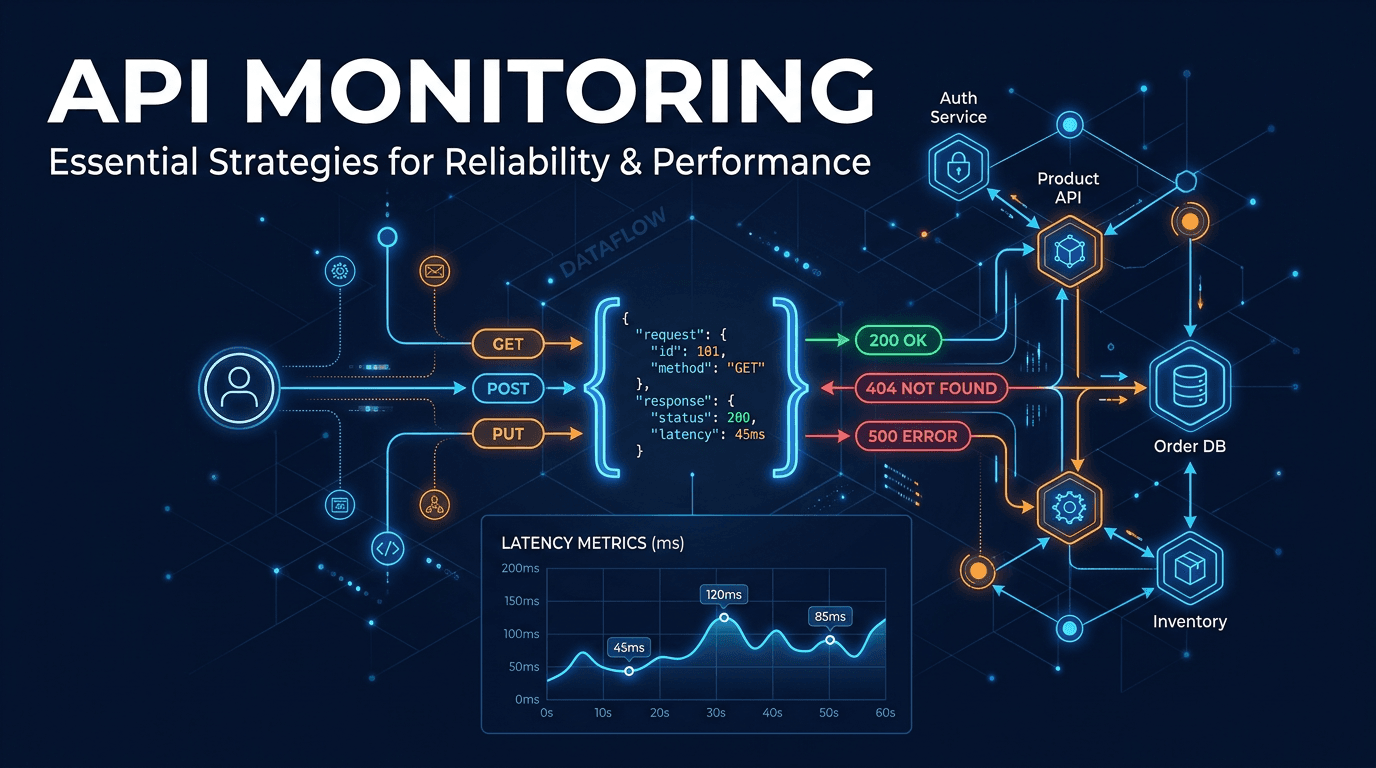
API monitoring is the continuous practice of testing Application Programming Interfaces in production to verify they remain available, fast, and functionally correct. APIs are the backbone of modern software — they connect mobile apps to backends, link microservices together, and power third-party integrations. When an API fails or degrades, the impact cascades through every system that depends on it. Effective monitoring detects API problems in seconds, provides the diagnostic data needed to fix them, and helps teams prevent incidents before users are affected.
Why API Monitoring Matters
APIs Are Invisible to End Users — Until They Break
Unlike a crashed website that shows a clear error page, a failing API often produces subtle symptoms: a mobile app that hangs, a checkout that silently fails, or a dashboard that shows stale data. Users blame the application, not the API. Monitoring makes these invisible failures visible to the engineering team.
Microservices Multiply Failure Points
Modern architectures decompose applications into dozens or hundreds of microservices, each exposing APIs. The probability of at least one service experiencing issues at any given time increases with each additional service. Comprehensive monitoring covers every endpoint, tracking how failures propagate through service dependencies.
SLAs and Developer Experience
If you provide APIs to external consumers, your uptime and performance directly affect their products. API reliability is a competitive differentiator, and documented SLA compliance — backed by monitoring data — builds trust with developers who depend on your service.
Four Dimensions of API Monitoring
Availability
The fundamental question: can the API be reached, and does it respond? Monitoring sends HTTP requests to each endpoint from multiple geographic locations and verifies that responses return within acceptable timeframes. This must go beyond simple TCP connectivity to include DNS resolution, TLS handshake, and full HTTP response receipt.
Performance
Response time is critical. Track latency at the 50th, 95th, and 99th percentiles — averages hide problems that affect a significant minority of requests. A p99 of 3 seconds means 1 in 100 requests takes at least 3 seconds, which is often unacceptable for production traffic. Monitor throughput capacity and track how response times change under varying load.
Correctness
A 200 OK response does not guarantee a correct response. APIs can return success status codes while delivering empty arrays, malformed JSON, incorrect data types, or error messages embedded in the response body. Schema validation and content assertions catch these silent failures that status code monitoring misses entirely.
Security
Monitor authentication flows, verify that unauthorized requests are properly rejected, and ensure rate limiting is enforced. Test that different permission levels return appropriate data scopes — an API that leaks admin data to regular users is a security incident even if it returns 200 OK.
Best Practices for API Monitoring
Validate Response Bodies, Not Just Status Codes
Configure assertions that verify JSON schema compliance, required fields, data types, and value ranges. For example, a product API should return a price greater than zero, an inventory count that is a non-negative integer, and a product name that is a non-empty string.
Monitor Multi-Step Workflows
Real API usage involves sequences of calls: authenticate, create a resource, update it, query it, delete it. Test these workflows end-to-end as synthetic transactions. A single endpoint might work perfectly in isolation but fail when called as part of a sequence due to state management bugs.
Test From the Regions Your Users Are In
API performance varies dramatically by geography. A server in US-East might deliver 50ms responses locally but 300ms to users in Asia-Pacific. Monitor from the regions where your actual users are located to catch latency problems that affect real traffic.
Set Meaningful SLOs
Define Service Level Objectives for each API: "99.9% of requests return a valid response within 500ms." Monitor against these objectives and track error budget consumption. When the error budget approaches zero, shift engineering priority to reliability over new features.
Monitor Third-Party API Dependencies
Your application's reliability is limited by its weakest dependency. Monitor the external APIs you consume — payment gateways, email providers, geolocation services — and implement fallback behavior when they degrade.
Common Mistakes to Avoid
Monitoring Only GET Endpoints
GET requests are easy to test, but POST, PUT, and DELETE operations carry different risks. A bug in your create or update endpoint can corrupt data silently while read operations continue to work. Test write operations with safe, idempotent test data.
Ignoring Authentication Token Lifecycle
OAuth tokens expire, API keys get rotated, and JWT signing keys change. If your monitoring uses hardcoded credentials, it will generate false outage alerts when those credentials expire. Use monitoring-specific service accounts with long-lived, well-managed tokens.
Not Testing Error Responses
Verify that your API returns proper error codes and messages for invalid input, unauthorized access, rate limiting, and missing resources. A 500 error when a 400 was expected reveals a bug. A 200 response to unauthorized requests reveals a security vulnerability.
Alert Fatigue From Transient Failures
APIs occasionally return errors due to network blips, garbage collection pauses, or deployment rolling restarts. Require 2-3 consecutive failures across multiple locations before alerting. Use rolling error rate thresholds instead of single-failure triggers.
Use Cases
Mobile Application Backends
Mobile apps depend entirely on API reliability. Users on slow networks are especially sensitive to API latency. Monitor the specific endpoints your mobile clients call, with latency thresholds appropriate for mobile network conditions.
SaaS Platforms
Multi-tenant SaaS APIs must perform consistently across all customers. Monitor per-tenant performance to detect noisy-neighbor effects where one customer's workload degrades service for others.
Microservices Architectures
Service mesh communication generates enormous volumes of internal API calls. Monitor inter-service APIs to detect cascading failures, circuit breaker activations, and retry storms that can amplify small problems into system-wide outages.
Third-Party Integration Providers
If your business model involves providing APIs to partners, monitoring is your quality assurance system. Real-time dashboards showing endpoint health and historical performance data support both engineering operations and customer success conversations.
How UpScanX Handles API Monitoring
UpScanX monitors REST and GraphQL API endpoints with configurable HTTP methods, custom headers, authentication, and request bodies. Each check validates status codes, response times, and response body content through schema assertions and keyword matching.
Monitoring runs from 15+ global locations with check intervals as frequent as every 30 seconds. Multi-step API workflows test complete user journeys, and performance tracking provides p50/p95/p99 latency breakdowns with historical trend analysis. Alerts fire through email, SMS, Slack, Discord, Teams, PagerDuty, and webhooks when endpoints fail or performance degrades beyond configured thresholds.
Combined with uptime, SSL, and AI-powered reporting, UpScanX provides end-to-end visibility into your API infrastructure from a single platform.
API Monitoring Checklist
Before calling an API monitor “done,” verify the essentials: each critical endpoint has a check, every authenticated workflow uses valid credentials, response bodies are asserted, latency targets are defined, and error budgets are visible to the team. If you expose APIs publicly, also make sure you are monitoring rate limits, invalid input behavior, and dependency failures from the client perspective.
The highest-performing teams treat API monitoring as a product-quality system, not just an operations tool. They review failed assertions after deployments, tune thresholds monthly, and keep synthetic workflows aligned with real customer usage. That is how API monitoring becomes a growth enabler rather than just an alerting feed.
Start monitoring your APIs with UpScanX — free plan available.